Introducing Charlie, the AI Chief of Staff
Here we are using an n8n server to actually run my entire CRM. And this is what it looks like.
I'm going to be demoing my AI chief of staff that runs the entire company. My name is Omnia. I'm a CEO of a company called Carstation. We do cloud hosting and we're a small startup. So I needed to create employees to replace actual human beings that would run my company.
So I'll be starting with a small demo that I did because when I attend this kind of conferences, I like to attend for two reasons. One is to learn from this amazing speakers that came to this kind of conferences and the second one is to connect with the actual people that I meet here and I don't want to forget.
So I can talk to Charlie my AI employee from WhatsApp, Slack or even by phone. For right now let's go with WhatsApp. All right. So all I have to do is take a picture of your badge and it should trigger Charlie to actually save this into my CRM. So like you can see here Charlie has added Dio to the CRM and I can see here all the information about you from the badge and now I will show you exactly what happens behind the scenes.
The Core Workflow: From WhatsApp to AI Router
This is actually Charlie and what it looks like behind the scenes. So Charlie can get triggered by three components: either via WhatsApp, Slack or phone call. And Charlie is the main facilitator of my company. She actually has a plethora of other AI agents working for her and she's just the router agent for these assistants. So in this exact example that we did earlier, she used the lead coordinator to coordinate with the CRM and add your contact info to my CRM. This is a closer look. She figured out herself that she needed to talk to the lead coordinator.
And then the lead coordinator is another router agent who has two agents working for him. So the CRM agent and the lead gen agent. This is what actually the workflow looks like. So at first Charlie gets triggered by WhatsApp from this example. Then we specify exactly what type of message do we have. So either an audio message, a video message, an image or a text. Then we get the image URL in this use case. We download the image and then we use the first AI component here. And this is the image explainer. So the image explainer is just a simple prompt that tells the agent to just look at the image and see exactly what's in it, describes it and if there is a QR code then I will send.
So once the image explainer detects that there's a QR code then I will re-download the image from WhatsApp, then I read the QR code and then I specified, I just set the text and QR code into a one set node and then finally I will call Charlie. So Charlie is this agent.
The AI's Memory: The Technical Resource Supervisor (RAG)
So just a normal routing agent. This is the system prompts that actually fuels it. She just has the role definition in there, the important rules that she needs to follow or that she should not do and just a couple of PCs. So the reason why my system prompt is very light is because what makes her really smart is the technical resource supervisor is an agent that's only job is to remember things about me, about my team members, remember mistakes. So if Charlie makes mistakes, which she will do, I will log them into technical resource supervisor and then I will tell her you made this mistake today, next time don't do it. Or if I have a new use case and I have already the tool, the technical resource supervisor is basically a RAG agent
that is very smart because I use two kinds of database in it. In n8n you can have multiple sources of data and for this example I'm using Postgres for every structured data. So for example emails, names, posts for like for my employees, what they do, that's not going to change. So I put it in a structured database, it's easy to read for my agents. And then for everything that changes, like the way I want Charlie to speak to me, the way that I want her to use the other agents and for example for my content creation because Charlie can help me with content creation, then I need her to talk in my soul or my other employees' souls and that's stored in the RAG agent that's in here. So I'm using Qdrant as a RAG database and let me show you what the updates memory agent looks like.
Managing AI Memory with Structured JSON
So this is the memory agent right here. Another stable AI agent from n8n. The role is to memory manage. So it's a memory manager agent. The only responsibility is to store memories in Quadrant database using the exact JSON that I give it. And the JSON has multiple metadata that I use to actually structure the data so that it's easy to use afterwards. What I give it as a structured output is this. So she has the action. So whether it's to store the data or to update it and we have the user ID because like I said Charlie is my chief of staff so she manages all my employees and all the memories of my employees. The user ID is either their Slack ID or the WhatsApp number.
Then I have the memory ID which is just to identify every every memory. Then the collection. So the collection is how I specify each employee so that she doesn't actually mistake one employee with another. And the collection is actually the user's ID. And then I have the memory life. Like I explained before, Charlie can either be a source of POC. So what to do and how to do it, but she also keeps the memory of her last mistakes and how she can improve in there. So that's the memory type. We have the data, so what I actually save in the database and then finally the timestamp and the time stamp is set to now. So it's a JavaScript now here. That way I keep all the data up to date. And then we have the get memory agent which uses those timestamps and those metadata to actually get the right memory every time. It looks like this. And basically here the agent needs to figure out what memory it needs to get. So what user or what timestamp or what mistakes it did. So that's why I'm using the JSON here to really structure the data and not get everything mixed up.
Delegating Tasks: The CRM & Lead Generator Sub-Agents
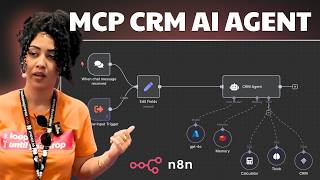
Now that Charlie knows who she's talking to and what to do using the technical resource supervisor's intel. So that's what I actually said. She then calls the right agent to do the task. And in this use case, it was the lead supervisor. This agent has access to two other sub-agents. The CRM agent which is used to manage my CRM and then the lead generator agent. Let's take a look at the CRM agent and how she actually gets saved the information from Dio to the CRM. Earlier when I told her to add his information to the CRM, she used this CRM agent. So this CRM agent is a simple agent that has just two tools. The CRM n8n server because here we are using an n8n server to actually run my entire CRM. And this is what it looks like.
So right now n8n does not have a node for 20i CRM. I'm using 20i CRM to manage all my CRM stuff. And so I just created a couple of APIs that I would need. So the create one person, create one company, get company, get many people, get many companies, etc. The agent knows how to use the CRM easily because it's easy to use for agents. It knows exactly that it needs to create the company first if the company doesn't exist. And once the company is created, it creates the person and adds it to the company. So this is the 20i CRM in here. And here are all the people that I scanned today or yesterday just using Charlie for this.
Live Demo: Voice-Powered Lead Generation
Lead generation agents can actually get me leads using just keywords. Like for example here I'm going to ask it to grab me some leads for developers in Berlin for example. So I can talk to Charlie either via text, images or voice. So that's what I'm going to do right now. All right. This is my WhatsApp. This is Charlie and I can just...
"Hey Charlie, can you please get me 10 leads of developers in Berlin and send it to me back via WhatsApp please?"
So Charlie's going to get the text from this voice messages and then she's going to use it to send it to the lead generator agent to actually get me the lead. Let me show you what happens in the workflow. Charlie again, she's going to use the technical resource supervisor to actually figure out who am I and what I want and how it should do that. And then she should decide to call the lead generation agents. So Charlie figured out that she needs to use the lead generation agents here. If I open it here, we've got a text here saying that what exactly what I told her, she'll get 10 leads of developers in Berlin delivered via WhatsApp. That and she has the intel in there too. And she used the lead generator agents. And like you see here, we have the same message here. So 10 developers profile based in Berlin. And if I go to the end of it, I should see that she added 10 developers in my database for this use case. All right. So she created a campaign called developer startup Berlin. So I'm going to go and find this in my database. And here if I look for the campaign, I can see here all the developers that she found just using a prompt. So I have all the LinkedIn profiles of the leads that Charlie found using just a voice message. So this is a LinkedIn leads that Charlie got for me via WhatsApp.
Q&A: The Cost of Using Multiple AI Agents
I have 5 minutes if you have any questions.
I had actually a question. Having multiple agents does it cause the cost to increase? Because this was my main concern.
Because I do like every agent has a small task, you can get away with a smaller agent, like least expensive agent. Like every request doesn't cost you 5 cents because the longer the context, the worse it's going to be. But because every agent has small context, it's actually you can get away with it.
I'm the creator of Charlie and if you want to connect, here's my info. Thank you.