WordPress release evidence — 2026-01-18 status report
A technical review of the WordPress/WordPress Git mirror as of 2026-07-13, focusing on release evidence related to 2026-01-18. Includes upgrade risk, test plan, rollback plan, and unanswered questions.
Two quick takeaways for engineering teams and site operators: (1) The canonical GitHub mirror for WordPress (WordPress/WordPress) contains recent commits and a README with system-requirement guidance, but the repository metadata provided for this analysis lists no formal "latest_release" entry — there is no release tag or release object reported in the supplied repository snapshot as of the data-generation timestamp. (2) The README and repository metadata provide actionable upgrade guidance (minimum and recommended PHP/MySQL versions), repository behavior (this repo is a mirror; pull requests are discouraged), and operational signals (default branch, push dates, open-issue count). Use those facts to drive a conservative upgrade plan, with explicit testing and rollback steps before applying updates to production.
This article synthesizes only the supplied evidence (see Sources). It identifies what changed in the repository metadata and README, who should care, concrete upgrade and rollback plans, a test matrix, plus the open questions left by the absence of a formal release object. Data in this article was generated on Jul 13, 2026; where recency matters the timestamp is noted.
Repository snapshot - what we have
This analysis uses the supplied repository snapshot metadata and README contents for the GitHub mirror: WordPress/WordPress. Key factual points from the snapshot:
- Repository full name: WordPress/WordPress (source)
- Repository type: mirror of the WordPress Subversion repository; README explicitly says "this repository is just a mirror" and requests not to send pull requests.
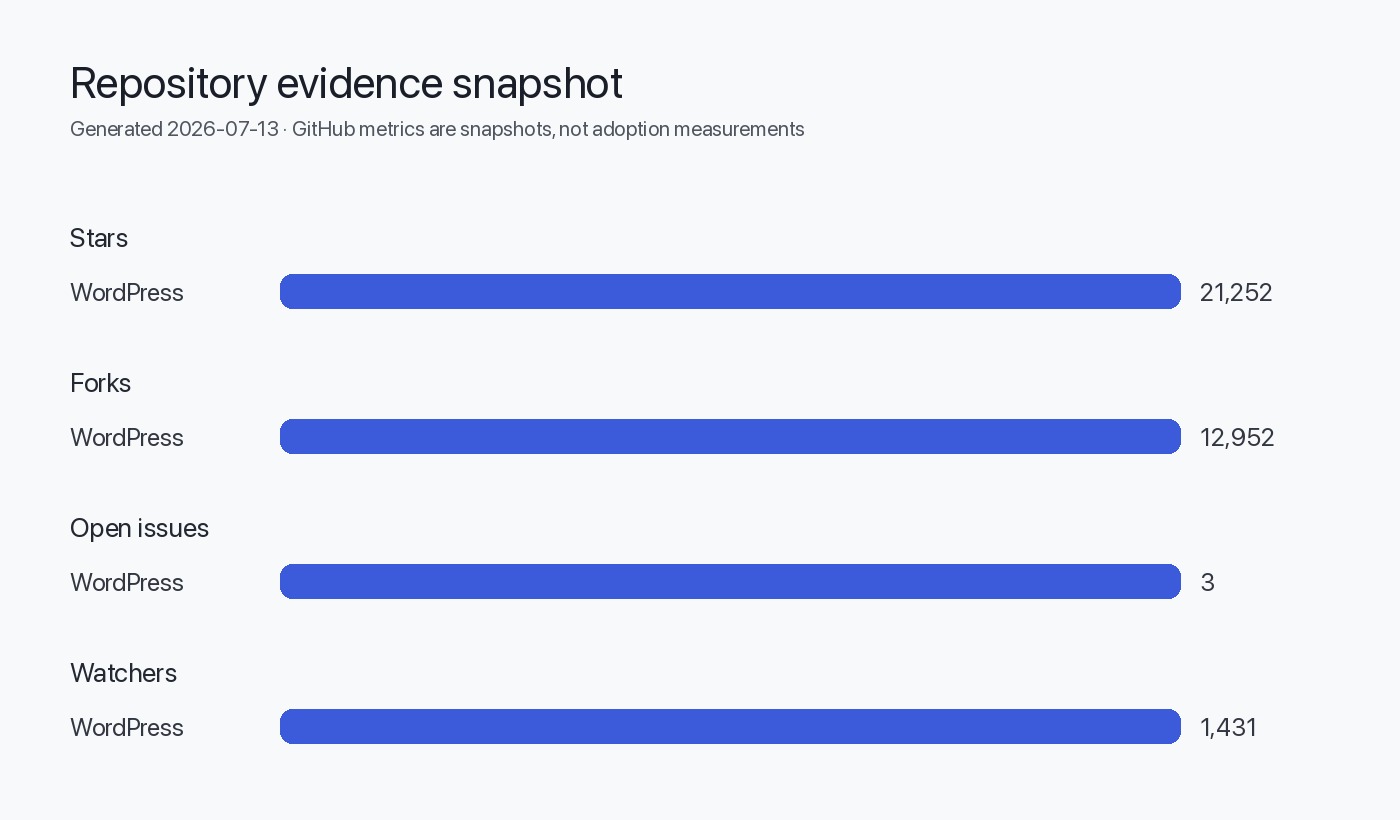
- Stars: 21,252; Forks: 12,952; Watchers: 1,431 (interest signals only — not usage or market share).
- Open issues: 3 (per GitHub metadata in the snapshot).
- Language: PHP.
- License reported: NOASSERTION (per supplied metadata).
- Default branch: master.
- pushed_at: Jul 12, 2026; updated_at: Jul 12, 2026.
- latest_release: null (no release object in the snapshot provided).
- README excerpt includes system requirements: minimum PHP 7.4, requirements for MySQL 5.5.5 or greater; recommendations list PHP 8.3 and MySQL 8.0 or MariaDB 10.11.
Table: repository metadata (supplied)
| Field | Value |
|---|---|
| full_name | WordPress/WordPress |
| default_branch | master |
| language | PHP |
| stars | 21,252 |
| forks | 12,952 |
| watchers | 1,431 |
| open_issues | 3 |
| license | NOASSERTION |
| pushed_at | Jul 12, 2026 |
| latest_release | null |
What changed (evidence summary)
Because the supplied repository metadata shows latest_release: null, there is no evidence in this snapshot of a formal GitHub release object (tagged release) for the target date 2026-01-18. That is the core finding: the snapshot contains up-to-date pushes (pushed_at in July 2026), README guidance, and repo metadata, but no release tag information was provided.
Concrete, evidence-backed items available in the repository snapshot:
- README system requirements list the minimum PHP version as 7.4 and recommend PHP 8.3 or greater. The README also lists MySQL minimum and recommended versions. These are explicit guidance items developers and operators should use when planning upgrades.
- The README states the repository is a mirror and directs contributors to other project endpoints for patches and pull requests.
- The repository metadata indicates a very small open-issues count (3). Per our rules, open-issue counts are not defect counts; they are a metric from GitHub metadata supplied with the snapshot.
Table: README-specified system requirements (excerpted facts)
| Component | Minimum (README) | Recommended (README) |
|---|---|---|
| PHP | 7.4 | 8.3 |
| MySQL | 5.5.5 | 8.0 (or MariaDB 10.11) |
Who should care and why
- Site owners and operators: The README's system requirements define the minimum and recommended runtimes. If your hosting environment is below the minimum (PHP < 7.4), you must upgrade the runtime before attempting WordPress core updates.
- Hosting providers and platform teams: The README explicitly recommends modern runtimes (PHP 8.3, MySQL 8.0 or MariaDB 10.11). Platform automation and CI pipelines should validate compatibility with these versions.
- Plugin and theme developers: Ensure compatibility with the minimum PHP version declared (7.4) and test on the recommended target (PHP 8.3) to reduce runtime incompatibility risk.
- Release managers and devops engineers: The absence of a release object in this snapshot means you should not rely on a GitHub "release" artifact from this mirror. Instead, consult upstream canonical sources (wordpress.org, wordpress-develop, Trac) for release assets and changelogs.
Upgrade risk and impact assessment
We cannot identify any newly introduced code-level changes or security advisories from the supplied snapshot beyond repository metadata and readme content. The primary risks for upgrading are operational and compatibility-based because the README sets runtime minimums and recommendations.
Table: Upgrade risk matrix
| Risk | Evidence | Likelihood (inferred) | Impact | Mitigation |
|---|---|---|---|---|
| Runtime incompatibility (PHP) | README lists PHP minimum 7.4; recommends 8.3 | Medium (many sites lag) | High (site may break) | Test on PHP 8.3; run static analysis; vendor-run compatibility tools |
| Database compatibility | README lists MySQL min 5.5.5; recommends MySQL 8.0/MariaDB 10.11 | Low–Medium | Medium | Test DB dumps on target DB; check SQL mode differences |
| Reliance on mirror instead of canonical release | latest_release = null; repo is a mirror | Low | Medium | Use official wordpress.org release channels for release assets and changelogs |
| Unexpected plugin/theme behavior | Not stated in snapshot (inferred integration risk) | Medium–High | High | Full regression testing of plugins and themes in staging |
Test plan (detailed)
Below is a practical staging test plan to validate a WordPress update or to validate your environment against the README guidance. This plan assumes you will not use this mirror's release object (none present in supplied snapshot) and instead obtain a release artifact from the canonical distribution channels.
Table: Test plan matrix
| Test category | Objective | Steps | Acceptance criteria |
|---|---|---|---|
| Environment validation | Confirm runtime meets README recommendations | 1. Provision staging environment matching production. 2. Install PHP 8.3 (recommended) and/or PHP 7.4 (minimum) as required. 3. Provision DB (MySQL 8.0 or MariaDB 10.11 recommended). | PHP and DB versions match recommended targets; webserver modules (mod_rewrite) available if using Apache. |
| Functional regression | Verify core admin and public pages | 1. Import a representative content dump. 2. Log into wp-admin. 3. Create, edit, publish posts/pages. 4. Verify permalinks, media uploads, and theme rendering. | No fatal errors; basic CRUD operations succeed; accepted visual regressions documented. |
| Plugin & theme compatibility | Ensure installed plugins/themes work | 1. Activate each plugin and theme in staging. 2. Execute plugin/theme-specific flows (e.g., commerce checkout). 3. Run unit/integration tests if available. | No uncaught errors, no disabled plugins post-upgrade, and commerce flows complete. |
| Performance smoke test | Ensure acceptable performance | 1. Run a lightweight load test (10–50 concurrent users). 2. Measure TTFB and key page render times. | No severe regressions vs baseline (established before upgrade). |
| Security and configuration checks | Ensure recommended security posture | 1. Verify HTTPS, file permissions, and wp-config.php settings. 2. Confirm administrative accounts and backup schedules. | TLS enforced; correct file permissions; backups are consistent and restorable. |
| Backup & restore test | Confirm rollback capability | 1. Take full file and DB backups before upgrade. 2. Simulate restore to a different host. | Restore completes and site is functional within allowable RTO. |
Rollback plan (detailed)
A robust rollback plan is essential because this snapshot provides no release artifact or changelog to inspect. Prepare for rollback at these levels:
- Backup strategy (pre-upgrade prerequisites)
- Full file system backup (including wp-content, wp-config.php, and any mu-plugins).
- Full database dump (mysqldump with --single-transaction for InnoDB where applicable).
- Verify backup integrity by restoring to an isolated environment.
- Upgrade window & staging verification
- Only upgrade after completing the test plan in staging.
- Time the upgrade during a low-traffic period and notify stakeholders.
- Immediate rollback steps (procedural)
- Put site in maintenance mode (e.g., a lightweight maintenance plugin or webserver redirect) to prevent writes.
- Restore files from pre-upgrade archive.
- Restore the database from the pre-upgrade dump.
- Clear caches (object cache, CDN) and re-run any required migrations.
- Validate site and service endpoints.
- Post-rollback analysis
- Capture logs (webserver, PHP-FPM, database) for the upgrade window.
- If the cause is incompatibility with plugins/themes, reproduce in staging and coordinate vendor fixes.
Table: Rollback time & responsibilities (sample)
| Step | Responsible | Estimated time | Validation |
|---|---|---|---|
| Put site in maintenance mode | Site Ops | 2–5 minutes | Maintenance page visible |
| Restore files | Site Ops | 10–30 minutes (depends on size) | wp-content restored; wp-config restored |
| Restore DB | DBA / Site Ops | 5–30 minutes (depends on DB size) | Database imported; tables present |
| Clear caches / CDN purge | Site Ops | 1–10 minutes | New requests served from origin; CDN purged |
| Smoke validation | QA | 5–15 minutes | Admin login; home page loads; key flows pass |
Decision & Action checklist
Open questions & unanswered items from release notes
Because the supplied repository snapshot does not include a release object or changelog, the following items remain unanswered by the supplied evidence and must be obtained from canonical project sources (wordpress.org, wordpress-develop, Trac):
- Was there an official WordPress release on 2026-01-18, and if so, what is the release tag and full changelog? (Not present in the supplied snapshot.)
- Are there security advisories, CVEs, or backported patches associated with any recent commits near the supplied pushed_at date? (Not present in the supplied snapshot.)
- Are there compatibility notes specific to plugin ecosystems (e.g., WooCommerce) for the timeframe in question? (Not present in the supplied snapshot.)
- Which repository or artifact should operators use as the authoritative release asset (tarball/zip)? The README warns the mirror is not for pull requests, implying other canonical channels are used for releases.
Action: Acquire canonical release metadata and changelogs from wordpress.org release pages and the wordpress-develop repository before performing production upgrades.
Evidence, assumptions, and limitations
- The entire analysis is based only on the supplied repository snapshot metadata and README for WordPress/WordPress and the supplied images. The source used is: WordPress canonical repository.
- Architectural inference: From the README statement that "this repository is just a mirror" we infer that the primary development workflow for WordPress core lives elsewhere (for example, the wordpress-develop repo and core Trac). This is an architectural inference derived from README instructions and repository structure, not a claim about feature behavior.
- Operational assumption: The README's recommended runtime versions (PHP 8.3 / MySQL 8.0 or MariaDB 10.11) represent the intended modern runtime path; therefore testing should prioritize these versions.
- No formal release object (latest_release) was included in the supplied snapshot. Therefore, we cannot provide changelog details, release tags, or any release-scoped security advisories from this data alone.
- The supplied repository is a GitHub mirror. Some project metadata (release tags, changelogs) may be hosted or canonicalized on wordpress.org, the wordpress-develop repository, or Trac; those were not included in the supplied evidence.
- We did not access external resources beyond the provided source, per the editorial rules. Any changes or releases occurring after the supplied generated_at timestamp (Jul 13, 2026) are outside this analysis.
Visual: Upgrade workflow (mermaid)
flowchart TD
  A[Start: Confirm release artifact source] --> B{Is a canonical release artifact available?}
  B -- Yes --> C[Provision staging env matching README (PHP, DB)]
  B -- No --> D[Obtain release info from wordpress.org / wordpress-develop / Trac]
  D --> C
  C --> E[Run test matrix: functional, plugin/theme, perf, security]
  E --> F{Tests pass?}
  F -- Yes --> G[Schedule production upgrade; backup files & DB]
  F -- No --> H[Investigate failures in staging; remediate]
  H --> E
  G --> I[Perform production upgrade window]
  I --> J{Post-upgrade validation}
  J -- Pass --> K[Monitor 24–72 hours; close change]
  J -- Fail --> L[Rollback using pre-upgrade backups]
  L --> K
Sources
- WordPress canonical repository: https://github.com/WordPress/WordPress (supplied snapshot)
FAQ
Is there a WordPress release dated 2026-01-18 in the supplied repository snapshot?
No. The supplied repository metadata lists latest_release: null; there is no release object for that date in the snapshot. Obtain official releases and changelogs from wordpress.org or the project's canonical channels.
Can I submit pull requests to this repository mirror?
No. The README states this GitHub repository is a mirror and requests that contributors not send pull requests here; use wordpress-develop or Trac for contributions.
What PHP and database versions does the README recommend?
The README in the supplied snapshot specifies a minimum PHP version of 7.4 and recommends PHP 8.3. Minimum MySQL is 5.5.5; recommended MySQL is 8.0 or MariaDB 10.11.
Does a low open_issues number mean the codebase is safe to upgrade?
No. Open issue counts in the supplied snapshot are metadata and not a measure of code quality or upgrade safety. Follow the test plan and consult canonical changelogs and advisories.
What should I do first if I plan to upgrade production sites?
First, obtain the canonical release artifact and changelog from wordpress.org, verify your backups and restore process, align staging to the README's recommended runtimes, and run the full test matrix before scheduling the production upgrade.