AnythingLLM architecture: modules, extension points, and ops
A technical architecture review of AnythingLLM (Mintplex-Labs/anything-llm) that maps modules to runtime roles, extension points, operational implications, scaling boundaries, and repository evidence.
AnythingLLM is a large, multi-component monorepo that packages a React frontend, a Node.js server, a document collector, and optional submodules for embedding and browser integration. The repository and the project's release notes indicate an architectural goal: make an extensible, local-first AI assistant that can connect to many LLM providers, manage document ingestion, run agent workflows, and persist embeddings to multiple vector databases (AnythingLLM canonical repository).
Operationally, the project targets both single-host desktop deployments and cloud/Docker production deployments. The repo provides multiple deployment templates and lists supported LLMs and vector DBs; from that we can infer extension points and likely scaling boundaries. Where the repo or README does not disclose runtime telemetry, internal performance characteristics, or production SLAs, this analysis flags those as unknowns and identifies what additional evidence you'd need.
Quick repo facts
| Field | Value |
|---|---|
| Repository | Mintplex-Labs/anything-llm |
| Primary language | JavaScript |
| License | MIT |
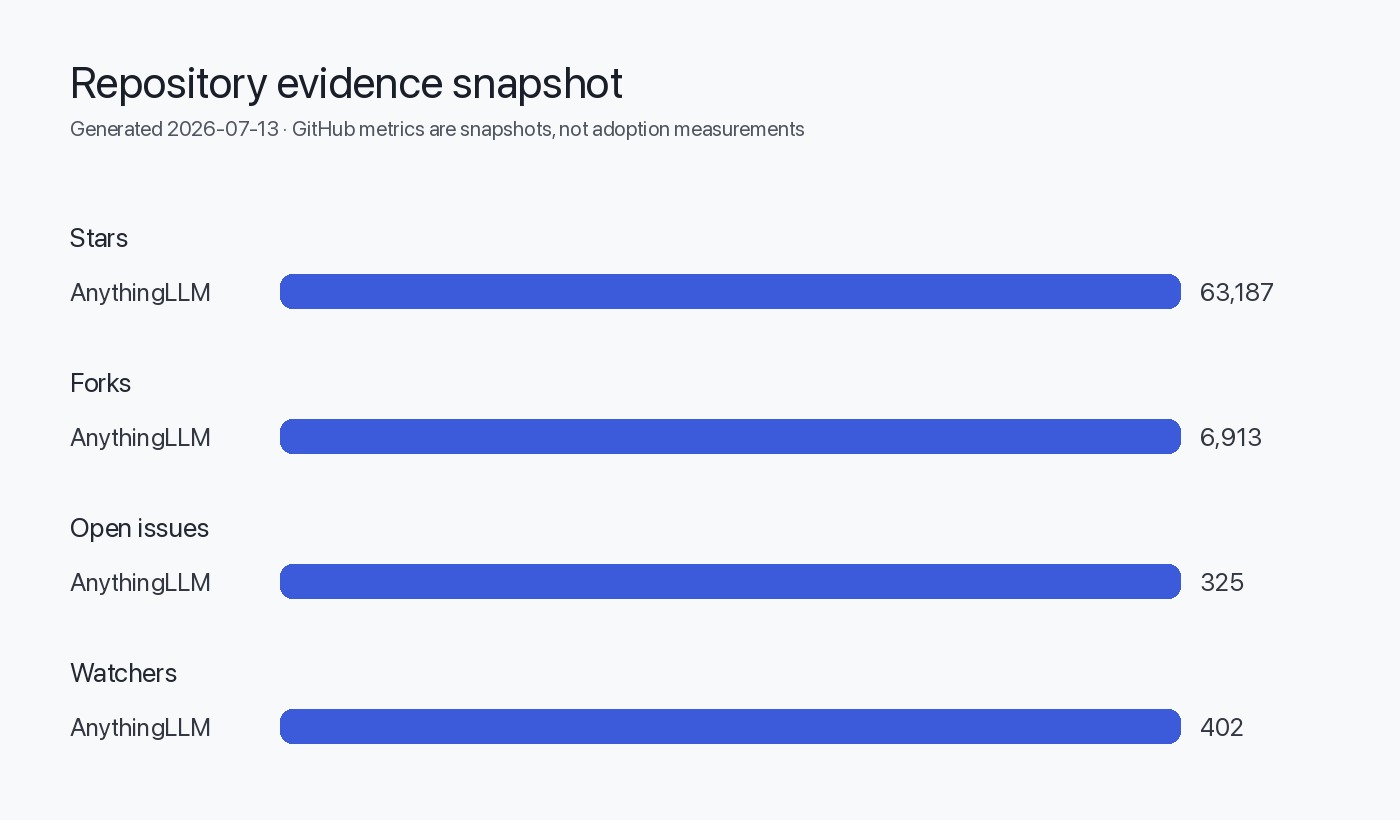
| Stars (signal) | 63,187 (supplied) — interest signal only |
| Latest release (supplied) | v1.15.0 published 2026-06-25 (release notes) |
| Default branch | master |
| Monorepo sections (README) | frontend, server, collector, docker, embed, browser-extension |
The star count in the metadata is an interest signal, not a proxy for production usage, adoption, or quality. See repository links in Sources.
High-level architecture
The repository-level README explicitly describes the project as a monorepo composed of a Vite/React frontend, a Node.js Express server, a collector service for parsing documents, and several optional submodules (embed widget, browser extension, and desktop apps). Those clearly separated responsibilities form the primary runtime surfaces:
- Client/UI layer: React-based frontend.
- API / orchestration: Node.js Express server that handles requests, coordinates vector DBs and LLM calls, and exposes developer APIs.
- Document ingestion: a collector service that parses and transforms documents into chunks/embeddings.
- Integration/adapters: submodules and configuration for embedding the product into other contexts (embed widget, extension).
This separation (UI / server / collector / adapters) is typical for agents and RAG platforms because it isolates heavy processing (ingestion, model calls) from the UI and lets teams scale services independently.
Mermaid: simplified runtime component diagram
flowchart LR
  Browser[React Frontend]
  Server[Node.js Express Server]
  Collector[Document Collector]
  VectorDB[Vector Database]
  LLMs[LLM Providers (local/cloud)]
  Submodules[Embed / Extension / Desktop]
  Telemetry[Telemetry (PostHog) optional]

  Browser -->|API| Server
  Collector -->|Ingest API| Server
  Server -->|store embeddings| VectorDB
  Server -->|model calls| LLMs
  Server -->|serve widget| Submodules
  Server -->|telemetry events| Telemetry

  classDef infra fill:#f9f,stroke:#333,stroke-width:1px
  class Server,VectorDB,LLMs,Collector infra
Repository modules and responsibilities
Below is a concise mapping of the top-level repository sections to responsibilities and operational implications. This table is derived from the README structure in the repo and the listed modules.
| Module / directory | Purpose (evidence) | Operational implication |
|---|---|---|
| frontend | ViteJS + React frontend for chat UI and workspace management (README) | Stateful UI; deploy as static site or host via Node server; supports drag-and-drop uploads and multi-user UI features. Must be secured behind auth in multi-user installs. |
| server | NodeJS Express server that manages LLM interactions, vector DB access, APIs, permissions, persistent storage (README) | Central orchestration component. Primary scaling and availability concerns live here. Handles credentials to LLM providers and DB connectors. |
| collector | Document parsing/processing service (NodeJS Express) (README) | Offloads heavy file processing. Can be colocated with server or run separately for throughput isolation. |
| docker | Docker build instructions and production deployment templates (README) | Official containerization path; preferred for cloud deployments. |
| embed (submodule) | Web embed widget project | Lightweight integration for third-party sites. Typically stateless client plus API calls to server. |
| browser-extension (submodule) | Browser extension to surface AnythingLLM functions in-browser | Local extension communicates with either desktop app or hosted API. Requires careful origin & auth handling. |
Treat the server as the trust boundary: it stores credentials, communicates with LLM providers and vector DBs, and (per README) optionally sends telemetry. For production you must harden secrets, network egress, and access controls.
Runtime flows, extension points, and tool integrations
The README lists many supported LLMs, embedder models, and vector DBs. This enumerated list is itself an indicator of the project's extension architecture: provider adapters are implemented as configuration-backed integration points rather than hard-coded providers.
Key runtime flows (evidence-backed):
- Document ingestion: UI uploads go to the collector which parses, chunks, and stores content; embeddings are generated and saved to a chosen vector DB (README sections referenced).
- Query handling: the frontend sends chat queries to the server, which routes to appropriate LLM provider/model and to the vector DB for retrieval-augmented generation (RAG). The README mentions a Model Router feature and Dynamic Model Routing.
- Agent execution: server contains agent orchestration (agents, scheduled jobs, tool selection) and can run repeated or scheduled workflows. Release notes and README list agent features and Intelligent Tool Selection.
Extension points (INFERRED from README lists and module layout):
- Provider adapters: configuration-driven adapters for LLMs and embedding services (INFERRED: supported LLM list indicates pluggable adapter pattern).
- Vector DB connectors: listed DBs imply an abstraction layer with provider-specific connectors.
- Skills/agents: the ability to add custom agent skills and no-code agent flows implies a pluginable skill registry in server-side code (INFERRED: agent skills are extensible).
Repository evidence shows explicit adapter support for multiple LLMs and vector DBs. Where code is structured as provider lists in README, it usually maps to modular connector code under server/storage or server/adapters (review the repo for exact file paths).
Data, storage, and vector databases
The README enumerates supported vector databases (LanceDB default, PGVector, Pinecone, Chroma, Weaviate, Qdrant, Milvus, etc.). This indicates that the server persists embeddings and retrieval metadata to pluggable backends.
| Data surface | Located in repo (evidence) | Notes and operational controls |
|---|---|---|
| Document storage & chunking | server/storage/documents (README references) | Chunk sizes, passage prefixes, and embedder choice affect cost and recall. These are tunable via server configuration (INFERRED). |
| Vector DBs | Multiple adapters listed in README | Choose provider based on scale, cost, and features (e.g., persistence, filtering). AnythingLLM exposes the DB choice in deployment guides. |
| Embedding models | Native embedder + provider adapters (README) | Embeddings can come from local or cloud models. Embedding provider choice affects latency and egress. |
If you run AnythingLLM on-premises and want full data locality, select a local embedder (LocalAI / llama.cpp compatible) and a self-hosted vector DB (PGVector, LanceDB, or Qdrant) as shown in the README.
Operational implications and deployment patterns
The README explicitly provides Docker and multiple cloud deployment pathways and a "bare metal" guide, and lists a desktop app. This shows the project maintains multiple deployment artifacts and likely CI/CD workflows to produce package artifacts (INFERRED).
Operational configuration surfaced in README:
- Telemetry: optional PostHog telemetry with an opt-out via DISABLE_TELEMETRY (README). That means runtime includes an outbound telemetry client unless disabled.
- Multi-user mode: README notes multi-user support is specific to Docker deployments. That implies the desktop builds run single-user by default, while the Docker/cloud path supports multi-tenant setups.
- Pro / paid features: release notes mention a Pro tier for desktop features; README and release show feature flags for daily limits and Pro gating (e.g., Magic features in v1.15.0 release). Note: the repo is MIT licensed; billing/hosted offerings are separate products or services (INFERRED from release links and README hosting options).
Security and networking (evidence and implications):
- Because the server coordinates external LLM providers and vector DBs, network egress must be controlled in production. The README warns about outbound connections for external LLMs and CDN usage.
- Secrets (LLM API keys, DB credentials) are handled via .env files and server config in the repo's dev setup notes. Protect these in shared environments.
Scaling boundaries and performance considerations
What the repo shows that affects scaling:
- Separation of document collector as its own service suggests ingestion throughput is expected to be a bottleneck at scale. Running collector separately isolates CPU/IO-heavy parsing and embedding generation.
- Server centralizes model calls and vector DB coordination: this will be the primary scaling surface for concurrency, latency, and cost management.
- The README's Dynamic Model Routing and Intelligent Tool Selection features indicate the system is designed to route traffic across different model types to control cost and capability, which is a technique to scale both performance and expense.
- INFERRED: The server is the primary horizontal-scaling candidate; run multiple server replicas behind a load balancer and share state via a centralized DB or Redis (inference based on typical Node.js API server patterns and the monorepo structure).
- INFERRED: Vector DB choice becomes a vertical/horizontal scaling tradeoff—some vector DBs scale better for high-concurrency retrieval (e.g., managed Pinecone / Milvus), while self-hosted options (PGVector, LanceDB) may require sharding or larger nodes.
- INFERRED: Agent-heavy workloads (scheduled jobs, long-running tool invocations) will require worker tiers or task queues to avoid blocking the API threads; the repo's scheduled jobs mention indicates such patterns but does not show a specific queue implementation in README.
The README and release notes do not provide performance benchmarks or recommended horizontal pod counts. Any capacity planning must be validated with load testing in your environment.
What cannot be concluded from public metadata
The repository and release notes provide extensive functional lists and deployment guidance, but public metadata cannot answer several operationally important questions:
- Runtime performance characteristics: latency distributions for model calls, end-to-end request times, and resource consumption per operation are not published in the README or release. (Unknown.)
- Security posture beyond public code: the README lists telemetry and advises on disabling it, but it does not expose an audit of secrets handling, third-party dependency RSAs, or security test results. (Unknown.)
- Real-world adoption, uptime, or SLAs: star counts do not equate to production adoption, and release cadence alone doesn't measure stability or enterprise readiness. (Stars are interest signals only.)
- Exact internal architecture details not committed to the repo (for example, the presence of a job queue, exact database schemas, or how agent state is persisted) unless they appear in source code. For these, you must inspect code paths and configuration in the repository. (Unknown unless code-level review is performed.)
Open issues count in meta is not a defect count or indicator of code quality by itself. The repo lists 325 open issues in the supplied metadata; this number can include feature requests, discussion threads, and proposals as well as bugs.
Decision checklist (actionable)
- Confirm deployment target: desktop single-user vs Docker/cloud multi-user.
- Choose data locality: if full on-premises, pick local embedder + self-hosted vector DB (PGVector, LanceDB). Verify network egress settings in the server config to prevent unintended outbound calls.
- Map expected concurrency: plan to scale the server horizontally; separate collector tasks to dedicated nodes/workers if ingestion throughput is high.
- Secrets and telemetry: set DISABLE_TELEMETRY=true in production if you must avoid outbound telemetry. Use a secret manager for API keys rather than plain .env files in shared hosts.
- Integration test plan: create tests that validate model routing logic and tool selection paths (Intelligent Tool Selection was enabled by default in v1.15.0 release notes; test its effects on token usage and routing). Cite: v1.15.0 release notes.
- Security checklist: run SCA (software composition analysis), static analysis, and infrastructure scans before exposing the server to the public internet.
Evidence, assumptions, and limitations
- Release notes for v1.15.0 and the repository README are the primary sources of functional descriptions and the high-level architecture (release notes, canonical repo).
- Repository metadata (language, license, stars, issues, release date) was taken from supplied editorial data.
- INFERRED: The server contains adapter abstractions for LLMs and vector DBs because the README lists many providers. The presence of many supported providers strongly implies a pluggable adapter pattern, but exact class/file structure requires code review.
- INFERRED: Collector is separated to allow independent scaling and to isolate heavy IO/CPU work. This follows common architecture for RAG systems and is consistent with the module split in README.
- INFERRED: Multi-user features are Docker/cloud-only because the README calls out multi-user as Docker-specific. This suggests desktop builds are intentionally single-user-centric.
- This analysis does not replace a code-level audit. To validate operational or security claims, perform an internal code review of the server and collector, audit dependency versions, and run dynamic tests.
- Performance and scaling guidance are inference-driven and must be validated by load tests in your target environment.
Data image (operational / architecture snapshot)
Sources
- AnythingLLM canonical repository: https://github.com/Mintplex-Labs/anything-llm
- AnythingLLM latest GitHub release v1.15.0: https://github.com/Mintplex-Labs/anything-llm/releases/tag/v1.15.0
FAQ
Can I run AnythingLLM entirely offline?
The README documents support for local LLMs and local embedder models; choosing local providers and a self-hosted vector DB enables a local-first deployment. However, you must configure providers and avoid optional CDN/hosted features. Inspect server config and disable telemetry for full privacy (repository README).
Where should I scale first if I experience latency?
Start by instrumenting and measuring the server API latencies and model call durations. The server is the central orchestration surface and is likely the first candidate to scale horizontally; also evaluate vector DB response times and collector throughput if ingestion is slow (this is an operational inference based on the repo layout).
Does AnythingLLM lock me to a specific vector database?
No. The project lists multiple supported vector databases in its README and identifies LanceDB as the default. That list indicates pluggable adapters for different DB backends (repository README).
Is telemetry mandatory?
No. The README documents a DISABLE_TELEMETRY option and explains what telemetry events are sent when enabled. The telemetry provider is PostHog per README.
Will the GitHub star count tell me how many companies use this in production?
No. Stars are an interest signal only and are not a measure of production adoption, usage, or market share.
Are performance benchmarks available?
Not in the public README or release notes supplied. You should perform your own benchmarks against your chosen model providers and DBs for accurate capacity planning.