Magento 2.4.9 (2026-05-12) — upgrade guidance & notes
Magento Open Source release 2.4.9 (published 2026-05-12) is listed in the official repository with minimal release notes. This article examines the available evidence, who should care, recommended tests, upgrade and rollback plans, and remaining questions.
Magento Open Source tag 2.4.9 was published to the official GitHub repository on 2026-05-12 and is visible as release "Magento Release 2.4.9" on the project releases page. The published release entry in the repository is minimal (release body text: "Magento Release 2.4.9") which leaves substantive details—changelog, upgrade notes, and component-level impacts—absent from the public release description as retrieved on 2026-07-13. See the official repo and release page for the authoritative artifact: the tag and its commit history are the primary evidence available now Magento repository and release 2.4.9.
Because the public release entry contains little narrative, this article focuses on evidence-based next steps: how to inspect and validate the tag, who should prioritize review and testing, a conservative test plan and rollback plan suitable for production Magento instances, and the unanswered questions that require follow-up with the maintainers or through commit-level inspection.
What we have: release evidence and retrieval date
This analysis is based on the public repository metadata and the release entry for tag 2.4.9.
Release metadata (authoritative fields from the repository):
| Field | Value |
|---|---|
| Release name | Magento Release 2.4.9 |
| Tag | 2.4.9 |
| Published at | May 12, 2026 |
| Release URL | https://github.com/magento/magento2/releases/tag/2.4.9 |
| Release notes (body) | "Magento Release 2.4.9" (no detailed changelog present in release body) |
These fields were observed in the repository as of Jul 13, 2026 (data retrieval timestamp). The canonical repository is https://github.com/magento/magento2 and the release page is https://github.com/magento/magento2/releases/tag/2.4.9.
The release entry contains minimal prose. The authoritative change set for the tag is the set of commits reachable from the tag; that commit list must be reviewed to determine concrete changes.
Who should care and why
This release is relevant to the following groups:
- Site owners and engineering teams running Magento Open Source instances who manage upgrades and composition via composer or Git tags.
- Extension and theme maintainers whose work targets Magento versions and must ensure compatibility with new tags.
- DevOps and platform teams that control PHP, MySQL/MariaDB, Elasticsearch/OpenSearch, Redis, and other platform components used with Magento stacks (see "who should test" below for concrete test ownership).
Why you should care: the repository-level release tag represents a canonical code snapshot. Even if the release notes are minimal, the tag may include bug fixes, maintenance updates, or integrate changes that affect backward compatibility. Until you review the commit-level changes or an external changelog, treat the tag as a code-level event that requires the usual diligence for ecommerce platform upgrades.
What changed: how to find the diffs and authoritative details
The release entry itself does not list a changelog. The evidence-driven approach is to enumerate the commits and files that differ between your current baseline (for example, the previous installed tag or branch) and tag 2.4.9.
Steps to extract authoritative details (evidence-first):
- Fetch the tag locally and inspect commits:
- git fetch --tags origin
- git checkout tags/2.4.9 -b review-2.4.9
- git log --oneline previous-tag..2.4.9
- Inspect composer.json, composer.lock, and release files in the tag for dependency changes.
- Review CHANGELOG.md or equivalent files in the repository tree and any linked release notes in the developer docs. If the release page doesn't include a human changelog, rely on commit messages and PRs referenced by the tag.
- Search the repository for new or changed di.xml, module.xml, or other configuration files that indicate behavior changes.
If you use CI that can run a dry-run composer update against a mirrored packagist, run it against the 2.4.9 tag to produce a dependency diff and surface PHP or library version constraints.
Upgrade risk assessment (conservative, evidence-based)
Because the published release entry provides almost no narrative, risk assessment must be driven by repository inspection and by general Magento upgrade history. The following table maps common Magento upgrade risk domains to the evidence you should gather before upgrading.
| Risk domain | What to check (evidence to gather) | Impact if untested |
|---|---|---|
| Third-party extensions and themes | Compare module API signatures and di/config changes; run static analysis on vendor and app/code; check composer constraints | Admin/runtime errors, fatal errors on page load, checkout breakage |
| Dependency/runtime (PHP, extensions, libs) | Inspect composer.json/lock in tag; check any documented system requirements in repository/docs | Inability to install or run, fatal PHP exceptions |
| Data/DB schema changes | Inspect db_schema.xml, setup scripts, and module version bumps in the tag | Upgrade scripts failing, data loss risk if scripts run incorrectly |
| Indexing/search (Elasticsearch/OpenSearch) | Check any changes to search adapters or mappings; run indexing tests in staging | Search failures or degraded relevance |
| Caching/redis/session changes | Review cache backend config changes and Redis client/library updates | Session loss, stale cache, concurrency regressions |
| Performance | Look for broad structural changes in core modules; benchmark in staging | Regressions under load impacting customers |
| Security | Search commits for CVE references, security-focused PRs; check security advisories if any are linked | Vulnerability exposure if unpatched |
Do not assume backward compatibility. Without a public changelog, the only accurate source for "what changed" is the tag's commit history and the repository files in that tag.
Recommended test plan and staging checklist
The following test plan is conservative and designed for production Magento deployments. It assumes you will first create a test instance that replicates your production codebase, extensions, and composer lock state.
Table: Staging test categories and concrete checks
| Test category | Concrete tests to run in staging | Pass criteria |
|---|---|---|
| Installation / Composer | Attempt composer install/update with composer.lock from production replaced to 2.4.9; check for dependency conflicts | composer resolves without conflicts; PHP extension requirements met |
| Build / Static content | Run bin/magento setup:upgrade, setup:di:compile, setup:static-content:deploy (or platform equivalents) | No errors; deployment artifacts generated |
| Admin UI smoke tests | Login to Admin, open Catalog/Product pages, create/update product, run sales order create flow | No 500s; form submissions succeed |
| Frontend smoke tests | Home page, category pages, product pages, cart, checkout flow (guest and logged-in) | Pages load; checkout completes; payment gateway interactions invoked correctly (use test modes) |
| API / Integrations | Run REST/GraphQL contract tests for storefront and admin APIs; exercise integrations (ERP, PIM) in sandbox modes | API responses match expected shapes; integrations accept requests |
| Database upgrade scripts | Run setup:upgrade with DB snapshot; verify migration scripts complete and DB schema updates as expected | setup:upgrade finishes; schema version increments; no failed migrations |
| Reindexing & Search | Run bin/magento indexer:reindex; verify search results and mapping | Indexing completes; search returns expected documents |
| Caching & Sessions | Warm and flush caches; verify sessions persist across expected boundaries | No session loss beyond expected expirations |
| Performance & Load | Run baseline load tests (read and write scenarios) comparing current production and 2.4.9 | No significant regressions in latency or error rate |
If you have an automated test suite (API-level and UI-level), run it against the staging instance before any manual validation. Use synthetic traffic generators to reproduce realistic load patterns.
Rollback plan and deployment safety
A clear rollback strategy is essential for ecommerce environments. The following is a conservative, evidence-backed rollback plan that does not rely on unrecoverable operations.
Rollback plan (stepwise):
- Take pre-upgrade snapshots
- Full database dump and filesystem snapshot (or snapshot mechanism offered by your cloud provider) immediately before the upgrade.
- Record composer.lock, installed vendor state, and the exact git commit or tag deployed.
- Blue/Green or Canary deployment
- Prefer non-destructive deployment: deploy 2.4.9 to a parallel environment (blue/green) or to a fraction of traffic (canary). This avoids immediate DB schema alteration for the entire fleet.
- If setup:upgrade / migration is required
- Apply migrations to a cloned DB first; if migrations are not reversible, ensure you can restore the pre-upgrade DB snapshot.
- Rollback execution
- If issues are detected, switch traffic back to the previous environment (blue/green) or revert canary rollout.
- If a DB migration ran and caused incompatibility, restore DB snapshot and redeploy previous code version that matches the restored DB schema.
- Post-rollback verification
- Run smoke checks for critical flows (checkout, admin login) after rollback.
Table: Minimum rollback artifacts you must create before upgrading
| Artifact | Why it's required |
|---|---|
| Full DB dump (timestamped) | Required to restore pre-migration state if DB schema changes are destructive |
| Application file snapshot or immutable image | To redeploy the prior code without rebuild delays |
| Versioned composer.lock and vendor tarball | Ensures exact dependency state can be restored |
| Health-check and monitoring playbook | To detect and confirm rollback success/failure |
If the upgrade includes irreversible DB migrations, do not run them on production without a validated restore path. Always test migrations first on a DB clone.
Decision checklist / Action checklist
Unanswered questions and recommended follow-ups
Because the public release entry provides no changelog, the following questions remain unanswered by the release note and should be resolved by inspecting the tag's commits or by contacting maintainers:
- What specific bug fixes, features, or breaking changes are included in 2.4.9? (Action: inspect the tag's commit list and referenced PRs.)
- Are there dependency or platform requirement changes (PHP version, composer package versions)? (Action: compare composer.json and any documentation in the tag.)
- Are there DB schema migrations that run during setup:upgrade, and are they reversible? (Action: review db_schema.xml and setup/UpgradeData/UpgradeSchema scripts in the tag.)
- Do Adobe/Magento maintainers plan to publish a human-readable changelog or security advisory to accompany the tag? (Action: monitor the repo, security mailing lists, and Adobe security alert channels.)
- Are there known extension compatibility issues reported by the community for this tag? (Action: search repository issues and extension vendor advisories.)
The authoritative answers to the above are either in the tag's commit/PR metadata or in separate communications (developer docs, security advisories). Relying solely on the release page text is insufficient.
Architectural conclusions inferred from repository metadata
The following conclusion is inferred from the repository metadata and README; treat these as labeled inferences, not direct claims from the release notes:
- Inferred: Magento Open Source is a PHP-based ecommerce platform with a modular architecture and Composer-managed dependencies. (Inference based on repository language: PHP, composer references in the README, and the project description.)
Evidence, assumptions, and limitations
- The Magento repository metadata and the release page for tag 2.4.9: https://github.com/magento/magento2 and https://github.com/magento/magento2/releases/tag/2.4.9.
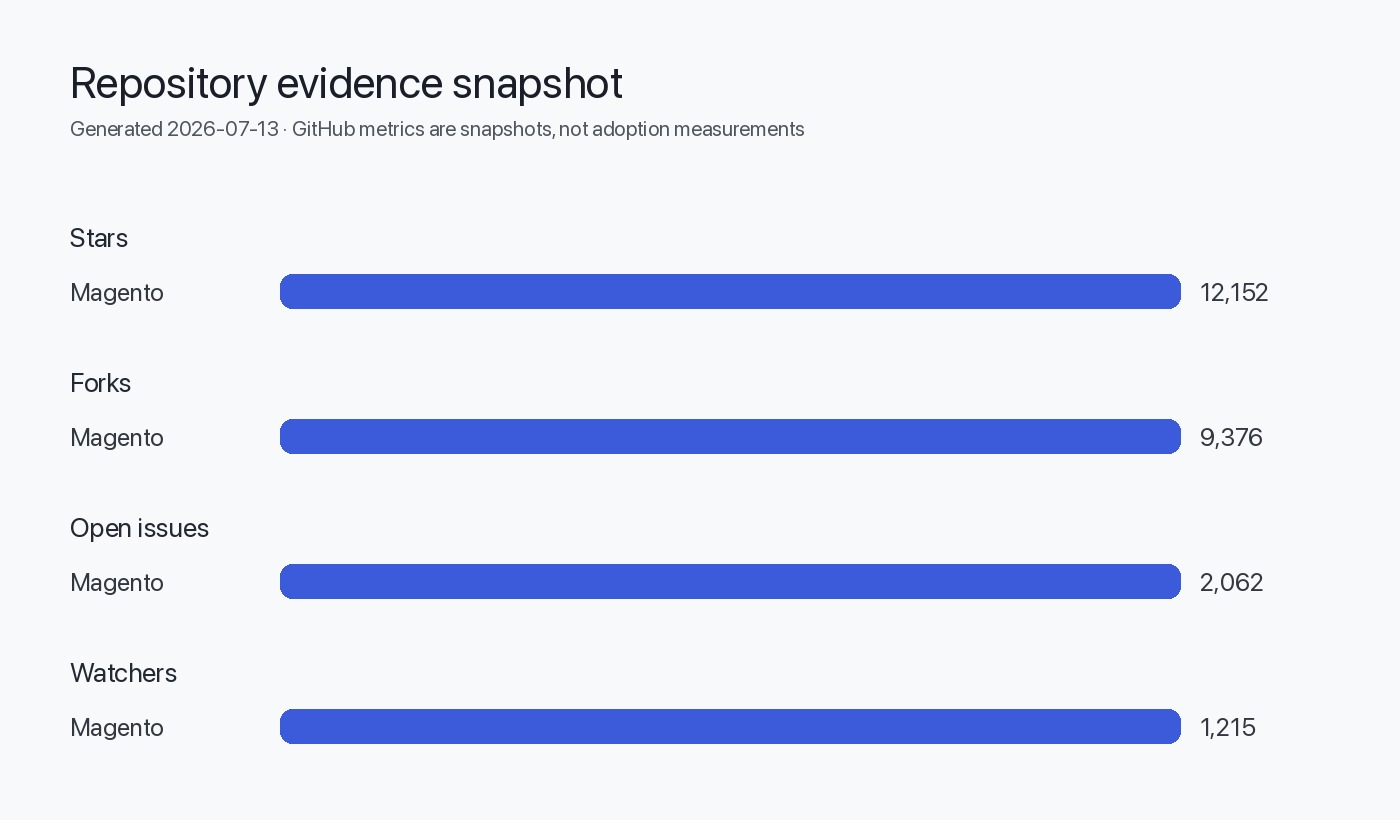
- Repository metadata (language, default branch, license, stars, issues) as provided in the supplied editorial data.
- This analysis assumes you are running a Magento Open Source installation that maps to the official repository source (composer-based or tag-based deployments).
- This analysis assumes you have standard staging and snapshot capabilities; adjust rollback and testing to your infrastructure.
- The public release body for 2.4.9 contains minimal descriptive text. No detailed changelog, security advisory text, or upgrade notes were included in the release body retrieved on 2026-07-13. Therefore, specific change descriptions are not available in the supplied sources.
- Any operational recommendations here are conservative and procedural; they are not claims about particular fixes or compatibility introduced by 2.4.9.
Visual — code review & upgrade flow
flowchart TD
  A[Start: Identify current deployed tag] --> B[Fetch tag 2.4.9 from origin]
  B --> C[Create staging mirror of production (code + DB)]
  C --> D[Run composer install + build steps on staging]
  D --> E[Run automated and manual tests]
  E -->|Pass| F[Canary or blue/green deploy; monitor]
  E -->|Fail| G[Investigate failures; open issues; hold]
  G --> H[If fixes available re-test; otherwise rollback candidate blocked]
  F --> I[If issues in canary -> rollback to previous environment using snapshots]
  I --> J[Post-deploy validation and monitoring]
FAQ
Where is the official changelog for 2.4.9?
The GitHub release entry for tag 2.4.9 contains only the minimal text "Magento Release 2.4.9." For a changelog you must inspect the tag's commits, referenced PRs, or any CHANGELOG files included in the tag. See the repository release page: https://github.com/magento/magento2/releases/tag/2.4.9.
Can I trust the release tag without further review?
No — treat the tag as a code snapshot that requires commit-level review and staging validation. The release notes are not sufficient to determine impact.
Does this release change system requirements (PHP, DB, search engine)?
The release entry does not specify system requirements. Inspect composer.json and any docs in the tag to determine runtime constraints before upgrading.
What is the safest way to deploy 2.4.9 to production?
Use a blue/green or canary deployment strategy with pre-upgrade DB and filesystem snapshots, run migrations on clones first, and validate critical flows under production-like load in staging.
How do I identify breaking changes for my installed extensions?
Compare your installed extension API calls and configuration with the files changed in the 2.4.9 tag (module.xml, di.xml, interface/signature changes). Run your integration test suite against staging.
Where can I report issues found when testing 2.4.9?
Use the Magento repository issue tracker and follow the contribution and issue reporting guidelines in the repository: https://github.com/magento/magento2.
Sources
- Magento canonical repository: https://github.com/magento/magento2
- Magento latest GitHub release: https://github.com/magento/magento2/releases/tag/2.4.9
<script type="application/ld+json">
</script>