ERPNext Performance Checklist & Engineering Guide
A hands-on performance engineering checklist for ERPNext deployments covering measurement design, representative workloads, profiling guidance, cache and I/O strategies, concurrency boundaries, CI regression checks, and common misleading benchmark patterns.
ERPNext performance engineering starts with measurement: define representative workloads for your deployment (interactive UI flows, REST/API bots, background jobs, bulk imports and exports) and capture stable baselines across latency, throughput, resource usage, and tail-percentiles. Treat the Frappe application layer and its persistence layer as separate measurement domains—optimize the application only after you can attribute slowness to SQL, I/O, or CPU-bound Python code.
Make small, verifiable changes and guard them with CI-backed regression checks. Use profiling (CPU, SQL, and I/O), exercise realistic concurrency, and validate caching and background-worker behavior under sustained load. Pay attention to MariaDB boundaries (the README references MariaDB as a dependency), storage for attachments, and the Frappe framework characteristics; keep changes incremental and reproducible.
Why this checklist matters
ERPNext is a full-stack open-source ERP built on the Frappe framework; production deployments commonly host many interacting modules (accounts, inventory, manufacturing, HR). Performance issues in enterprise software frequently stem from unrepresentative testing, hidden database hot paths, or background-job contention. This checklist translates those common failure modes into concrete measurement and mitigation steps specific to ERPNext-style deployments so you can produce reliable improvements and guardrails for future changes.
Understand the codebase and environment facts
Before you touch the performance knobs, capture a few repository and release facts as they help anchor expectations and compatibility checks:
- Repository: frappe/erpnext (source) — use the canonical project repository as the authoritative codebase for tests.
- Language and license (from repository metadata): Python; GPL-3.0.
- The project README and releases reference the Frappe framework and note MariaDB as an example packaged dependency for local installs (the README's install flow includes MariaDB).
- Latest release metadata (as of repository generation): tag v16.26.2 published 2026-07-03. Repository activity timestamps in the supplied data are current to 2026-07-13.
Caveat: GitHub stars are an interest signal; they do not equal production adoption and should not be used to estimate performance-critical scale. For these repository facts see the canonical repository and latest release entries cited in Sources.
Measurement design and representative workloads
Design tests to answer specific questions. For each change, determine whether your goal is reducing p99 latency, increasing transactional throughput, lowering CPU cost, or improving background-job completion time.
Key measurement principles
- Baseline first: measure before changing code, infra, or configuration.
- Small, focused hypothesis: change one variable at a time (e.g., query optimization, new index, background worker tuning).
- Repeatability: run the same workload multiple times and report distribution statistics (median, p95, p99, and variance).
- Realistic concurrency: match the mix of interactive users and background processes.
- Include cold- and warm-cache scenarios where relevant.
Suggested workload categories
| Workload type | What to measure | Why it matters |
|---|---|---|
| Interactive UI flows | End-to-end latency, DOM/API time, p95/p99 | Most end users care about UI responsiveness; web requests touch ORM + templates + JS. |
| REST/API bulk jobs | Throughput, per-record latency, error rates | Integration points and mobile apps often exercise APIs for bulk sync. |
| Background jobs / Scheduled tasks | Job completion time, queue depth, failures | ERPNext uses background jobs for imports, reports, and long-running tasks; these affect data freshness. |
| Bulk imports/exports | Total elapsed time, DB write rate, I/O saturation | Administrative tasks can create bursty load; test realistic sizes used in your business. |
| Reports & analytics | Query runtime, memory use, DB temp usage | Reports often run complex queries and can expose missing indexes or design issues. |
Profiling: where to look first
Profiling should tell you where time is spent and whether the hot path is in Python code, ORM/SQL, template rendering, or I/O.
High-level steps
- Capture wall-clock and resource metrics during representative workload runs (CPU, memory, disk I/O, network).
- Profile at three levels: application CPU, database query patterns, and system I/O.
- Correlate traces: align application logs/tracing with DB slow query logs and system counters so you can attribute latency.
SQL and DB measurement specifics
- Use the database's slow query logging or EXPLAIN plans for long-running queries. MariaDB is the DB example called out in the project README; collect slow query logs when running representative loads.
- Track connection counts, lock waits, transaction durations, and temporary table usage.
- Look for repeated similar SELECTs that could be batched or cached.
Application and worker profiling
- Profile python worker processes under representative background load; identify hotspots in business logic and library calls.
- Measure event-loop or async boundaries if parts of the stack are asynchronous.
- Inspect queue/backlog metrics for delayed jobs.
| Profile domain | Key artifact to collect | Primary questions |
|---|---|---|
| Python application | CPU flamegraphs / sampling profiles | Which functions consume CPU time and are they I/O or CPU bound? |
| Database | Slow query log, EXPLAIN, index usage | Which queries dominate latency and are missing indexes? |
| System I/O | Disk latency (ms), throughput (MB/s), fsync rates | Are writes or reads bottlenecked by storage? |
| Background jobs | Queue depth, task durations, retry counts | Are jobs being processed timely and without excessive retries? |
Caching, I/O, and storage considerations
Caching and I/O are common levers for ERP systems, but they introduce complexity. Design caching with invalidation and consistency in mind.
Practical guidance
- Cache at the right granularity: per-object, per-query, or template fragments. Avoid very large caches that are costly to invalidate.
- For attachments and static assets consider object storage or a separate static file server; persistent file I/O and frequent fsyncs can destabilize DB performance on the same disk.
- Measure the impact of cache warmup vs a cold cache; an improvement that only helps warm caches may not help first-time users.
Storage and backups
- Backups and compactions can cause I/O spikes; schedule backups during low-traffic windows or use replica-based backups.
- If using MariaDB, evaluate replica lag under write bursts; lag can affect read scaling strategies and failover behavior.
Concurrency, workers, and boundary controls
ERPNext deployments often mix interactive requests with asynchronous tasks. Separate those workloads to avoid contention.
Isolation strategies
- Separate pools or processes for web requests and background workers to prevent long-running reports from occupying web server capacity.
- Use admission control at the application or load-balancer level to limit concurrent heavy-reporting requests during business hours.
- For horizontal scaling, ensure session affinity or statelessness for web layers; evaluate how the Frappe framework handles sessions and long-lived connections in your chosen deployment model (inference from README: Frappe is the framework used with ERPNext).
Concurrency knobs to review
- Number of worker processes/threads for web servers.
- Background worker concurrency for scheduled tasks and long jobs.
- DB connection pool size vs DB max connections.
CI checks and performance regression strategy
Integrate performance checks into CI to catch regressions without requiring full load tests on every PR.
Lightweight CI strategies
- Micro-benchmarks: run targeted unit or integration tests that assert latency or CPU bounds on small but meaningful endpoints (for example, a representative read and write API).
- Perf baseline artifacts: store a short latency histogram as an artifact and compare the distribution for regressions.
- Nightly full-load runs: schedule heavier scenario tests in a nightly pipeline and gate major merges by those results.
What to record in CI
- The commit/tag used for the test (reproducibility).
- Workload definition and input data snapshot.
- The environment configuration (DB schema version, worker counts, config flags).
Misleading benchmark patterns to avoid
- Single-endpoint microbenchmarks that ignore mixed workloads: they can overstate improvements that don't generalize.
- Cold-cache-only or warm-cache-only comparisons: always report both when caching is part of the optimization.
- Using maximum concurrency without realistic think-times: artificially high concurrency may stress system resources in ways your users won't experience.
- Equating GitHub stars or open-issue counts with performance or quality — stars measure interest and open issues are not defect counts. Use repository metadata only as contextual facts.
Decision checklist (actionable)
Evidence, assumptions, and limitations
- Repository and release metadata used in this article are drawn from the canonical ERPNext repository and the latest release entry provided in the editorial data: frappe/erpnext repository and v16.26.2 release notes.
- The guide assumes a typical ERPNext deployment architecture built on the Frappe framework as referenced in the project README. The README also indicates MariaDB as an example packaged dependency in installation flows; the checklist treats MariaDB as the reference persistence layer when discussing DB-specific actions.
- This article intentionally avoids recommending specific vendor products, CI commands, or exact performance numbers because those details vary widely between deployments.
- The article does not provide prescriptive tuning values (for example, worker counts or DB buffer sizes) because those are environment-specific and would require live metrics and workload characterization.
- Any inferred architectural conclusions (for example, that ERPNext runs on top of the Frappe framework and that MariaDB is a commonly used dependency in provided install flows) are explicitly derived from the repository README and release metadata and are labeled as such here.
Architecture flow (inferred from README and repository structure)
The following diagram is an inferred, high-level request/processing flow for an ERPNext deployment based on the project's README descriptions (Frappe framework and MariaDB usage are referenced in the repository data):
flowchart LR
  Browser[Browser / Client]
  LB[Load Balancer / Proxy]
  Web[Web / Frappe App Servers]
  Workers[Background Workers]
  DB[MariaDB (persistence)]
  FileStore[Attachment / Static File Store]

  Browser -->|HTTP/API| LB --> Web
  Web -->|DB queries / transactions| DB
  Web -->|Enqueue jobs| Workers
  Workers -->|DB updates / reads| DB
  Web -->|Read/Write files| FileStore
  Workers -->|Read/Write files| FileStore

  classDef infra fill:#f6f8fa,stroke:#dfe6ef
  class LB,Web,Workers,DB,FileStore infra

  click DB "https://github.com/frappe/erpnext" "Canonical repository"
Data snapshot (for reproducibility)
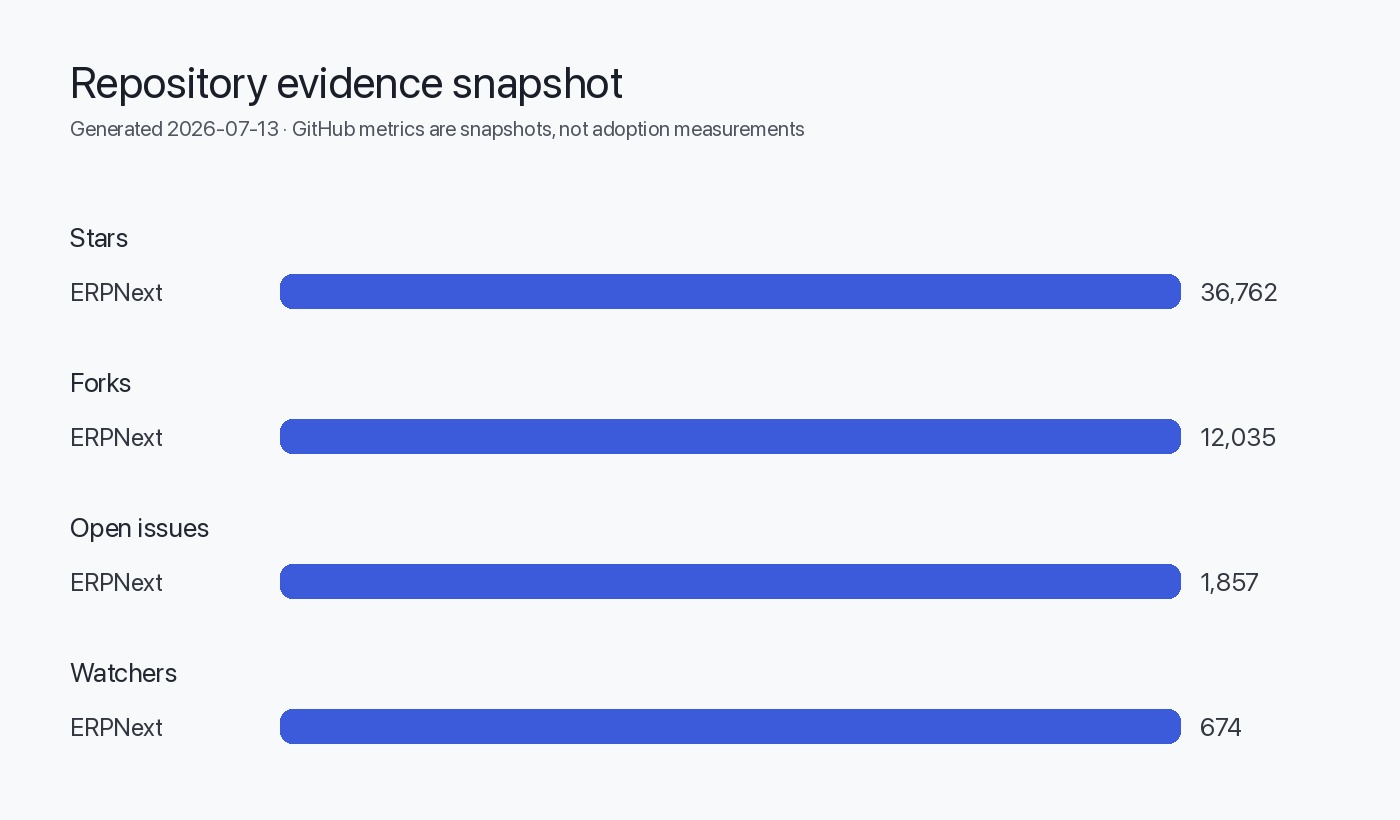
Table: Key repository facts (data retrieval: 2026-07-13)
| Field | Value |
|---|---|
| Repository | frappe/erpnext |
| Language | Python |
| License | GPL-3.0 |
| Stars (interest signal) | 36,762 (as reported in editorial data) |
| Forks | 12,035 |
| Open issues (metadata) | 1,857 (note: open-issue counts are not defect counts) |
| Latest release | v16.26.2 published 2026-07-03 |
Sources
- ERPNext canonical repository: https://github.com/frappe/erpnext
- ERPNext latest GitHub release (v16.26.2): https://github.com/frappe/erpnext/releases/tag/v16.26.2
FAQ
What are the first metrics I should collect for ERPNext?
Start with end-to-end latency for representative UI flows, SQL slow query logs for the same flows, CPU and memory on app and worker processes, and I/O latency for storage. Capture p50, p95, and p99 distributions for request latency.
Does this guide recommend MariaDB tuning?
The guide recommends measuring DB characteristics and using EXPLAIN and slow query logs to decide tuning. MariaDB is referenced in the project README as a packaged dependency; any specific tuning values should be determined from measurement on your workload.
Should I run background jobs and web requests on the same hosts?
Prefer isolating background workers and web request processes to avoid contention. The checklist suggests separate process pools or hosts to prevent long-running jobs from reducing interactive capacity.
How should I add performance checks to CI without slowing every PR?
Add lightweight micro-benchmarks as part of PR checks and schedule heavier, end-to-end load tests as nightly or pre-merge gates. Store baseline artifacts for automated comparison.
Are GitHub stars useful to estimate ERPNext scalability?
GitHub stars are an interest signal only. They should not be used to infer production adoption or performance characteristics; treat repository metadata as contextual information.
Where can I find the canonical source code and release notes used for this guide?
See the ERPNext canonical repository and latest release in the Sources section of this article. The release v16.26.2 (published 2026-07-03) is included in the supplied repository metadata.