Introduction: A Low-Latency Strix Halo Cluster
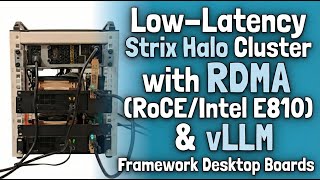
This is a cluster of two Framework desktop motherboards with AMD Strix Halo. If you watched the channel before, you've already seen me cluster these machines together using llama.cpp. So, the obvious question is what's different this time? The difference is how the two systems talk to each other and how the work is split amongst them. Instead of regular ethernet, they are connected with RDMA over a direct link with very low latency. We're talking about 5 nanoseconds. And instead of llama.cpp, I'm using vLLM in tensor parallel mode. So, both hosts are working on the same layers of the model at the same time.
I'll show some of the benchmarks right away so you can see what that buys you on these devices. On models like GLM-4-7B Flash or GPT-OSS-120B, this two-node setup gives a bit over 40% more throughput. And it can probably go farther as the ROCm stack keeps improving.
In the rest of this video, I'll walk you through what I built and how you can do the same yourself.
Hardware Build and RDMA Explained
So, I have these two Framework desktop motherboards, which I remind you have Strix Halo with 120 GB of unified memory each. What I wanted to do was to package them in a compact cluster. I didn't want loose boards on a desk, of course, and I didn't want a full-size rack, either. So, I settled on a small 6U Tech Mojo rack because it's just large enough to fit the two boards and the power supplies without much wasted space.
Now, getting everything mounted cleanly took some work. I ended up 3D printing a set of simple brackets and guides to hold the boards in place, keep cards from shifting, and generally keep things tidy. None of that is required to reproduce this setup, but it made it much easier for me to work with.
For the fast, low-latency connection, I added two Intel E810 network cards, which have 100 gigabit bandwidth. The two cards are connected directly with a back-to-back DAC cable with no switch in between. I configured them for RoCE, which stands for RDMA over converged Ethernet.
To understand why RDMA matters here, it helps to compare it directly with standard Ethernet. With normal Ethernet, data moves through the kernel network stack, TCP, and several memory copies. Even on a fast link, latency is usually tens of milliseconds, and sometimes closer to 100 milliseconds. With RDMA, one machine can read or write memory onto the other machine directly, bypassing most of this kernel stack. Using RoCE lets you do this over Ethernet hardware. In practice, that brings latency down to just a few microseconds, as you can see in these benchmarks I did. Bandwidth stays the same, but latency drops an order of magnitude, which really helps VLLM tons of parallelism, as we'll see later.
Solving the Network Card Cooling Challenge
Now, another issue I had to solve is that these cards are designed for data center use, so they are passively cooled with a very large heat sink, and I was worried that they could heat up under sustained load. To deal with that, I designed and 3D printed a simple fan shroud to attach a Noctua fan to the board and essentially push air across the heat sink. I've shared the design files in the description if you want to copy this.
Now, one lesson learned the hard way, do not print this with PLA. After an overnight benchmark, I noticed that the top of the shroud was starting to bend as the cards heated up. PLA doesn't handle sustained temperatures very well. So, I re-printed that with PETG, which has a higher temperature tolerance, and that finally solved the problem.
A Word from the Creator
Before going any further, you know what's coming, the mandatory YouTuber plea for support. This channel is a hobby project, and a lot of time goes into research, testing, and documentation behind each video. This one in particular involved a lot of experimentation and quite a bit of time digging into Rock Am and developing patches. To make all of these easier to follow and keep everything in one place, I've put together a small website called strix-halo-toolboxes.com. It's meant to be a central hub for all the work that I've been doing on Strix Halo since August 2025. There, you'll find links to all of the tutorials, toolboxes, scripts, and repositories that I maintain.
Now, the YouTube algorithm doesn't highlight this type of technical content very well, and ad revenue doesn't really cover the cost of hardware and time. I also deliberately don't place ads in the middle of my videos because I don't want to interrupt or annoy people who are here to learn. Some hardware comes from AMD and Framework, but a lot of it I buy myself, and it's getting expensive very quickly. So, if you find this work useful and want to support it, you'll also find a link on that site and in the description of this video to buy me a coffee or leave a small donation. I only put this up a couple of days ago, and I didn't really advertise it, so I was genuinely surprised to already see people sending contributions in. Thank you, Christian, Piotr, and Eric, and there was also an anonymous contribution.
PCIe Bottlenecks: Why Latency Beats Bandwidth
One obvious question with this setup is the PCIe slots. The Framework custom motherboard exposes a PCIe slot with four lanes, while the network card has 16 lanes. At first glance, that looks like a problem. In practice, it isn't. You can plug a 16-lane card into a four-lane slot using a simple riser, and those are cheap and easy to find, and that's what I'd recommend doing. Now, one of the boards I'm using was actually sent to me by Framework, and in that case, they used an ultrasonic knife to open up the end of the slot so that it could physically accept a 16-lane card. That works, but you absolutely do not need to do that. Using a riser is simpler and much safer.
Yes, you are giving up bandwidth. You're not going to get anywhere near the 100 gigabits throughput on a four-lane link, but for inference, that's not the limiting factor. What matters here is latency, and the latency stays very low even when the card is running in four-lane mode. That's why this setup still works well for tensor parallelism.
I also measured the actual RDMA bandwidth during a VLLM throughput benchmark. This is real traffic during heavy inference. Most of the time, it sits around 6 to 10 gigabit per second with short spikes of about 20 gigabit per second. And that's well below the 50 gigabit, let alone 100 gigabit that this card could potentially do with 16 lanes. So, the four-lane slot isn't a real issue here. You're not bandwidth limited. What matters is latency, and that stays very low.
Why Cheaper Cards Might Work
For this workload, I think even cheaper cards with lower peak bandwidth would give similar results as long as RDMA latency remains very low.
Software: vLLM, Tensor Parallelism, and RCCL
On the software stack side, as I said, I wanted to use VLLM with tensor parallelism. The idea there is simple. Instead of one machine running part of the model after the other, as it happens in llama.cpp RPC server, here both machines work on every layer at the same time. At the end of each layer, they exchange partial results and combine them before moving on. Now, that part is very sensitive to latency. If the link between the machines is too slow, this really doesn't work well.
So, after putting together the cluster, I thought the hard work was done, but when I first tried this, it didn't work at all. VLLM would crash with an invalid kernel error, which was the first clue that something lower in the stack was wrong. That pushed me to look past VLLM and RDMA and dig into RCCL itself.
This is Donato from the future. As usual, when I edit videos, I find mistakes that I try to rectify. In this particular case, I realized the library is actually pronounced "RICO". Unfortunately, I'll keep pronouncing it RCCL for the entirety of this video.
RCCL is the ROCm library responsible for the step where GPUs exchange and combine their results across different machines. Upstream ROCm doesn't currently ship RCCL support for GFX 1151, which is the GPU architecture used by Strix Halo. Without that, tensor parallelism over RDMA simply doesn't work. To get this running at all, I had to add that support myself. The patched library is included in my toolbox, and that's what I'm using here.
Step-by-Step Software Setup Guide
If you want to reproduce this setup, I wrote a detailed guide on GitHub that walks you through all the configuration steps, exact software versions, and the caveats I ran into. That's the reference you should follow if you want everything to line up 100% in the same way that it does in my setup. But, in a nutshell, the base system I'm using is Fedora 33, fully updated on both machines. On top of that, you need the RDMA stack installed, so RDMA core and the related user space tools. Once that's in place, you configure the two inter-cards exactly as shown in the guide. And if you use the same IP addresses I use, everything should just work out of the box. Also, it's worth disabling the firewall on both machines, as they're just locally connected to each other.
Now, on both machines, you then install the vLLM toolbox that I provide. This gives you a consistent environment with ROCm, vLLM, and the patched RCCL library already wired up in the correct way that I'm using here. From there, everything starts on the head node. You enter the vLLM toolbox and run the start vLLM cluster command. This script can use SSH to connect the second machine and bring up a Ray cluster automatically. Ray is what vLLM uses to coordinate work across multiple machines. It handles process placement, communication, and keeping the cluster alive. Here, we can see the cluster is up, and we can even see the two GPUs.
Once the Ray cluster is up, you select a model from the menu. The script then launches vLLM with all of the right ROCm configuration to make use of RCCL and Ray, and it distributes the model across the two machines using the settings that you select. As usual, you can still tweak things like maximum parallel connections, context size, and the attention backend to use. When available, I generally use ROCm attention rather than Triton. ROCm attention uses AMD's CK kernels, and on this hardware, that tends to work better consistently.
Benchmark Results and Analysis
We'll see the impact of that choice when we look at the benchmarks. Now, for the benchmarks, I deliberately picked models that already fit on a single Streak Halo system. The goal here isn't memory capacity. It's to isolate the effects of running tensor parallelism over a low latency link. I tried to include models which are open weight state-of-the-art, and I also included Llama because this is mainly a reference point that you can compare with other benchmarks people have done in the past few years.
When comparing single node runs to tensor parallel runs across two nodes, the throughput gains are evident. In some cases, the improvement is modest. In others, it's more noticeable. The exact numbers depend on the model, its architecture, and how much communication each layer needs.
Conclusion and Future Experiments
So, to wrap this up, what I wanted to show in this video is fairly simple. Using RDMA with a low-latency link makes tensor parallelism with VLAM viable on Strix Halo. Even with just two machines, you can get a good throughput improvement, and it doesn't depend on having massive bandwidth. In practice, latency matters much more than bandwidth. This was also a lot more work than it looks like on the surface. Between setting up RDMA and then discovering that RCCL didn't yet support Strix Halo and fixing that, there was a fair amount of digging and iteration involved here, but it was also genuinely fun to work through, and I learned a lot along the way.
Based on what I measured, I don't think you need expensive 100 gigabit cards to try this yourself. Since the actual bandwidth used during inference is relatively low, a cheaper RDMA-capable card with good latency should give very similar results.
I also want to thank Framework for sending me the desktop boards I used here. That, together with the support of the Streaks Halo Home Lab community and my viewers, is what's enabling all of these experimentation to continue.
Next, I want to experiment with a repository that implements RDMA over USB 4. Since these boards already have USB 4, this could be a much cheaper option than dedicated network cards. I don't yet know what kind of latency we'll get. So, this is very much an open experiment. I also plan to do a follow-up video on distributed training across multiple Streaks Halo nodes. Now that this setup can actually use RCCL and run across machines properly. If you are interested in seeing the results of these experiments, of course, make sure you are subscribed, so you don't miss the upcoming videos.