Introducing Payload 2.0
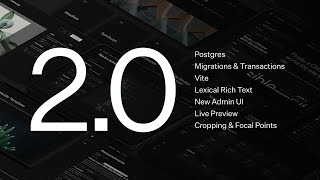
Today is a very big day for payload. We just released 2.0 and with it comes a lot of new stuff that we are very excited about. I'm going to take you through it. I'm going to show you what we have that's new and I'm going to talk to you about what this means for the future of payload and I'm just pretty jazzed to be honest.
Official Postgres Support with Drizzle ORM
But the first thing I want to talk about is our number one most upvoted roadmap item and that is additional database support. We have modularized our codebase and we have built in adapter patterns to not only the database but also the bundler and the Rich Text Editor, and that's going to allow us for incredible flexibility into the future. But what that really means is that we added Postgres support, and Postgres support is now official with payload. It's out of the box, it's very easy to install, and I'm going to show you what that looks like right now.
So here's a payload config. This is a 2.0 payload config and you can see a couple things that we're importing at the top. We're importing the Postgres adapter, the lexical editor, I'll get back to that, and the Vite bundler. And down here you can see there's a new property on the payload config called db. This is where we install our database adapter. This is responsible for every single touch point to the database. It's very modular and it's very compartmentalized, but the way it all works is beautiful. We support everything that we did in MongoDB directly in Postgres, and your table structure is clean. It's exactly how you want it to be. We don't just jump to JSON columns and dump a bunch of JSON into JSON columns with Postgres. We do it the relational database way and it turned out very, very nicely.
We have three collections in this little dummy config here, and in the database that corresponds to your table schema. You have a Pages table, you have blocks for your pages collection, you have a migrations table, we'll get back to that. Preferences is built into payload, it's based on users for the admin panel, and then we have posts and users and it just works. All you have to do is install this Postgres adapter and provide a Postgres connection string and you're off to the races.
So, one thing, we built this on top of Drizzle. The team and I and the open source community did an incredibly deep dive into which ORM we should choose for our relational database support. Drizzle ended up winning by quite a bit. We evaluated lots of other ones but Drizzle's type safety, their ability to dynamically define schemas in code, and their performance, their querying performance, made it so that they were a hands down—that was our choice. That's what we've got. You've got full access to Drizzle under the hood as well. Just like you have with, you can do payload.db and then bam, there's Drizzle. Everything that you wanted in Drizzle is all directly accessible within payload.
So, this is really closing the gap on headless CMS and application framework. You have a full ORM with payload out of the box. Just define your field schema and you're good to go.
Faster Development with the Vite Bundler
The next thing I want to talk about is Vite. Also on our roadmap, very upvoted, was getting rid of webpack and moving to a more progressive bundler. So the team and I went through a bunch of reconnaissance. We looked at how to do this, how to pull it off as seamlessly as possible, and we've come up with the following: so you just install bundler Vite, and then you pass it to the bundler property and bam, your admin panel is bundled with Vite. It's got hot module reload, it works very quickly, it's using esbuild to pre-bundle all the dependencies, and it's pretty cool. But all you have to do is install it and then you're ready to go.
The next thing I want to talk about is some UI revisions that we've made. We have a lot of initiatives where we want to go in the future that I'll talk about soon, but it was time for just some updates and a refresh to our UI to make more horizontal real estate available for things like live preview, etc. If you've been around payload you've probably seen some GitHub discussions about where we were going, but I think we've taken it even further and I'm really happy with the result. And what you're seeing here is a new sidebar. This is the same idea, but it's now collapsible, so rather than always just having the hamburger button for the menu, we allow you to collapse and expand it. And it'll stay expanded if you do expand it, and it saves it in your user preferences. So the sidebar is not going away. I think what we thought early on when we were doing these design revisions is if we just get rid of it and make it a menu, that would give us the most real estate, but we've actually kept the sidebar. We ended up missing it quite a bit. I like the sidebar, it's utilitarian, it gives you kind of like an airy feeling with the admin panel, and we kept it. It's just collapsible, so I think that's a really good move.
We also moved the branding into the breadcrumbs. So there was a dashboard button here but we just popped the branding there instead. So you can click this and go home if you want. But in addition, we've made space for views in the top right of the payload editor. And you can add your own views here. Edit is the default view that everyone's used to. We've added an API view which you can click here and you can see exactly how everything comes through the API, which is super cool. You can toggle it if you're authenticated, you can change the depth, and then you can click here to go out to the JSON like you always could. But these views are extensible. This is where versions are living now. This is where future views like dependency relationships and things like that will go. But you can add your own. So if you want to build an integration, you want to show some additional components right in the payload admin UI with your own React components, you just pop them up there and you're good to go. But the new UI is really powerful and it's just the beginning.
The New Lexical Rich Text Editor with Inline Blocks
The next thing I want to show is a new Rich Text Editor. We have some big ambitions for where we're going to go with our Rich Text Editor. I think most editors that use a CMS spend the majority of their time in the Rich Text Editor. The better that that editor can be, the more people are going to like working inside of the CMS. And we've classically been built on Slate.js, which is great, it's powerful, it saves content as JSON, it allows us to dynamically reference documents within links and things like that. But we've been exploring Lexical, and Lexical is very, very impressive.
You can still use slate with payload 2.0, you just install the Slate editor, but this is what it looks like to use the new Lexical Rich Text Editor. You import it and then you pass it to your payload config on the editor property, and then bam, this is the default rich text editor that everything in payload will use. And you can extend it, you can add your own elements, you can add your own leaves just like you could in Slate, you can add your own components, but you can also do a lot more. Our vision for this is to take the minimalism and like the polish that the Medium editor has and combine it with the power of the Notion editor and do both very well. So we've got a new approach here and I think it's pretty cool.
So if I go over here, I create a new post, let's say payload 2.0. Here's the lexical editor. It's very clean, you can see that it's just all open and you just start writing. And the toolbar has converted into—you can get to it by one of two ways: you can click on the plus button or you can just type slash and then start typing. And then you can insert like that. So if I wanted to insert an H1 and say like, This is an H1, and then below that I wanted to go back to writing paragraph, it's all very seamless. You can hover things, we get a a popup toolbar. This is all brand new, all done in lexical. So if I wanted to add a link, I could do that. I could say let's link to payloadcms.com, open a new tab. Bam.
It's got full feature parity with everything that we had in slate already. This is beta but it's very impressive. And one of the biggest features that we've added—this is insanely powerful—all of our blocks functionality has been completely replicated inside of Lexical. So what I'm going to do right now is add a payload block directly to the Rich Text Editor. All I have to do is type in slash and then you can see my blocks are already there. So if I click on Banner, bam, we get the same UI that we have for payload. All of the blocks functionality is here. These fields are validated, they get the default values, they're relationships, you can do relationships in here. Here is a banner which could be good for docs and similar, I'll just say like Success and close it up. And then you can drag and drop these elements as well. So if I wanted to have that Banner come next, this is all seamless. It's working out of the box. All you have to do is pass your block configs.
I want to show you quickly because I love this feature. This is crazy. All I've done is I've passed the lexical Editor to this content field and I've passed in a blocks feature and I've passed it the block schemas. And these block schemas are the exact same way that you define them everywhere throughout payload. So if you're familiar with payload you already understand what this means, but these are shared. So on my pages collection, I've got a blocks field the old way and I've added these blocks, but I've also used them in the rich text editor on my post collection. It's the same code, it's just reused. Super powerful stuff and it all works seamlessly. It's ready to go. This is beta, we want you to test it with us, but if you're building a new project I would suggest using the lexical editor.
Seamless Live Preview Integration
Okay, next up, live preview. This is a big one. This is possibly my favorite feature that we added. If you've heard me talk before, you know about how I think we should give the head back to the Headless CMS. I think we should connect headless CMS's to the front end more naturally and more deeply, and this is the first step from us in trying to make that happen. We have a lot more planned, making editors lives easier, but live preview is super powerful and here's what it looks like.
So those new UI views that I showed you with our UI revisions, there's a new view called live preview. It's very easy to set up and it just works out of the box. You can do responsive controls, you can pop this out into its own window. But if I go here and I type, it's just instant. You can see immediately what changes. You can even change relationship fields. Like here's a couple related posts. If I drag and drop these into a new order, just bam, it just works. It's everything is seamless out of the box for your Next.js website or whatever front end you're using. We have a React hook that makes it easy for Next.js sites, but for other frameworks you can just leverage the package directly and it works really nicely.
But here's how it works. So here's my pages collection that we were just viewing. Live preview is a new key. You just specify the URL. You can specify a URL based on anything. And you can set your break points if you want. You can set like tablet or whatever, you can define them and then they'll automatically render there. But as long as you do that, your website will show up in that view and you'll be ready to go.
Now in the front end, it uses a new hook that we've published into a separate package. Now I'm importing this locally, but you would just import payload-cms/live-preview-react and then it gives you a hook. This hook you can pass your initial data that you've gotten from your props or wherever. You tell it where the server URL is and you tell it what depth to populate relationships with. And then it gives you back data. And it only does this if you're authenticated. So this hook won't do anything if you're not authenticated. But this is literally all you have to do. You just render this hook, pass it your page data, and tell it what server URL and you're done. That's it. And then everything else is dynamic inside of your page. It's really cool and it's really seamless.
This is just the beginning. We have a lot more planned. It already supports scrolling. We didn't wire that up for this demo, but you can scroll to, like say, when you focus on a new field, it'll scroll you to that field. We have a lot of stuff coming, including visual editing on the front end. We do support Vercel visual editing right now, but we're taking it up a notch, so you can expect that soon.
Advanced Image Editing: Crop & Focal Point
Okay, the last big thing I want to cover—there's a lot more small things, lots of stuff has been improved, bug fixes, everything—but the last thing is image editing. We've introduced a bunch of new features for managing image sizes, resizing, cropping, focal point selection, etc., and I think it's super cool. Jessica built all of this, just completely automated it, it just came together beautifully and I want to show you what that looks like here.
So I'm just going to upload a photo, like a desktop background. First thing you'll notice is that you now have a preview before you save. You can change the file name or you can edit the image. And here's a little preview thumbnail that we render just so you can see what you're looking at. But if I click on edit image here, you can see there's a whole new suite of controls for cropping and for setting a focal point. And the focal point is really useful if you have automatically resizing images, say like for like a hero banner or something that the gravity of the photo is in the bottom right, you want to make sure that when you crop, you save the person's face or whatever. You can drag this around and you can set a focal point and then you can also just hard code these X and Y percent over here. But you can also crop and what that does is it allows you to edit your images before you actually save them. So if I hit apply and then I hit save, you'll see that this image has been cropped. I can recrop, I can reset the focal point, or I can go to preview sizes and I can instantly see how each one of my different tests or how each one of my different image sizes have been cropped accordingly. And this all uses focal point. It's very, very powerful. This is a test suite so there's a ton of different image sizes, but I don't think you might need that many, but hopefully not. But it's super, super cool, super powerful. This is just, it's just going to work out of the box for you. So if you upgrade to payload 2.0 you get all this instantly. Super powerful.
The Future of Payload: Roadmap and Conclusion
Okay, that's a lot. It's not everything. Like I said, there's just so much more. To see a full change log and to see the breaking changes, you can go to GitHub on the release. We have a change log for you to check out and that's a little bit more detailed. We've had some security improvements, some performance enhancements, we've had some quality of life updates, just all kinds of stuff. I think that this is only the beginning too. And speaking of that, I want to just briefly touch on what's next for payload.
We have a big road map. There's just a lot coming. The first thing is that we're going to support more databases. Now that we have all the hard work done for moving from a document database to a relational database, it's going to be trivial for us to add MySQL and SQLite and things like that. And then in the future we'll investigate additional databases, but you can build any database adapter you want with payload right now. You don't have to wait for us. You can contribute it open source, whatever you want. Should be pretty straightforward. But we're going to tackle a couple of those ourselves and support them officially.
The next thing is that we're going to finally figure out how to solve mixing server and client code in the payload config. We have some proofs of concept for dynamically parsing out the payload config into equivalent server configs and admin configs, where the payload config will still be your single source of truth, but will automatically generate a server and an admin config. And that'll make it so your bundle size is smaller, that'll make it so your code is more secure, there's less maintainability to do with webpack aliases and all that stuff. We're just going to completely eliminate all of that.
And then we're going to look for Edge compatibility. Drizzle was a good first step there. By minimizing our database dependencies, we can more easily minimize our entire bundle size for fitting into Edge functions. They have a very small limit on file size for each one of your functions and we need to get payload as small as we can. So that's going to be next on the radar.
And then finally, we have a lot of editor plugins that we're going to be building over the next couple months. And that includes multiplayer editing so you can edit payload documents just like you edit a Google Doc with a bunch of people collaborating. You'll be able to visually edit your your front end. This is a huge one. We want to actually extend all the things we've done with live preview and allow you to edit your website directly on your website with your full Rich Text Editor config, with your block editors, with your everything. This is going to be way more than just editing simple strings. You're going to be able to edit your whole entire website from your website.
From there, we have a suite of AI features like AI translations, AI image generation, AI writing assistance, all kinds of stuff like that. And that's just a sliver of what we've got. There's a lot more. If you're interested in keeping up with us, head over to our website, give us a star on GitHub, join our Discord. There's a bunch of happy, helpful people in there. I'm very thankful for our community. They are pushing us and it just feels good in there. I like it a lot. So join that if you ever need any help. People are generally very happy to help out. And I hope to see you around. I hope this video was helpful and this is just the beginning. So see you soon.