Project Introduction & Core Features
Hey guys, welcome to this tutorial series on Django. In this one, we are going to be building a complete project using Django and JavaScript. For those of you who don't know what Django is, Django is a web framework for Python that enables you to easily create powerful applications.
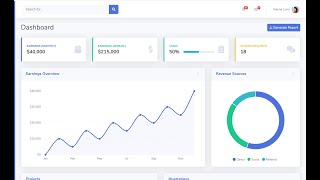
We are going to be building out most of the common features you'd find in real-world apps. For example, we'll do the CRUD operations. We'll set up a PostgreSQL database for our website. You can see we'll be able to do an Ajax search for for our data. We'll do pagination for all our data. And then I'll show you how to integrate the Chart.js library to graphically visualize this data in a way that can be easy to understand.
I'll show you how to work with data actually, so pulling this data from the database and then formatting it in a way that it's going to make a lot of meaning on the user interface. For example, here you see we are showing our expenses in the last three months. So we have a comparison of the last three months. We are going to be able to do some logic to find out how much was spent in the first week of this month, of the other month, even of the third month, and then we are going to be able to visually lay them out on the chart like this.
It's going to be quite intermediate in one way or the other, but then if you manage to stick around and complete it, it's going to teach us a lot about data structures in Python and how to think about the common problems, because this is what most apps will require.
Authentication System & File Handling
So you see we have an authentication system built out here. Users will be able to sign up for a username via email. They get an e-mail verification link. If they forget their passwords, they're going to be able to reset their password. For example, I could come in here and put in a user's email, and then it should send me a password reset link.
Then I'll show you how to do Ajax calls to the server so you can validate a username in real time, so we don't wait for a user to send a request. These kinds of things are the things you would normally find in real-world apps.
Then I'm gonna go ahead and show you—let me first actually come back in here so you can take a whole tour of everything. So here, we'll be able to create records. I'll show you how to work with the file system, the OS module to work with JSON, pull out files, parse them, read from them, and then close them. So it's going to be a lot that we'll cover.
Expense Management CRUD Demo
Users are going to be able to create expenses. For example, I can come in here, choose a currency... let's say it can be any currency. So this can be a description. Save that. Then you see we have these flash messages to validate user input before we save it. And then you see we are able to persist the data even when we have errors here.
So let's see, let me just get the date here, maybe the 25th that we did this expense. If I save now, you can see that it's saved and then it's added here. As you can see, it's here. And of course, we can edit it.
And then of course, now when you come to the editing, you see these details are pre-filled, so you can just edit. And then we'll be able to remove it. So if I remove this one, we get this dialog. And by the way guys, we are using Bootstrap for the UI, as we won't be focusing more on the UI. We'll focus on the Django stuff, so that's why I'm going to use Bootstrap on here. So you see, if I delete it, it's gone. And these charts, of course, updated accordingly. You can see that this is now changing.
Income Tracking & Advanced Data Summaries
Okay, so if I show you about the income, we'll be able to record our income. So here you can come in and add a new record. Maybe we made like 5k, maybe from business, let's say 'closed a deal'. You can customize this to any type of report you want. Okay, so the knowledge here, of course, will be transferable to anything else that you want to build.
You see, I am not sure if I have mentioned about searching the server from here, being an Ajax search. As you can see, you can search through multiple records. So we can search by date, by any attribute that you see about an income. This is the thing that's mostly found in real apps, and just running them from here will give you a solid grasp on how to attempt those problems.
As you'll find here, I have something called 'Summaries'. This is where we're going to go in-depth with getting data, formatting data. You will learn more about all those useful Python utility functions like mapping, reducing, filtering. So it's going to be very interesting if we stick around.
UI/UX & Asynchronous Operations
You can see we are going to be able to look out for all the reports in the current year and then we are going to graph them accordingly. So here you can see, in April, we sum up every income we got in April and then we will return this. And this is going to be for all the months, so you can think about the logic that goes into that. I'm going to be going over everything from A to Z with nothing left. I'll show you the thought process that I usually go through to come up with something like this. Hopefully, some of you guys can get an idea about how to go about solving problems like this.
Here, it's basically the same thing but for the current week. So if you kind of think about it, we've got all the data we have, then we want to filter that down to the current week and pick out what's happened on Monday, Tuesday... August reports here. We are going to learn about how to get this data in a form for the UI. We will do the same thing for the expenses.
And then notice that we have loading indicators when the user's network is quite slow. So if I could throttle my network or go on 'slow 3G' and then try to reload this page, this will show how it's going to appear if a user is on a slow network. Now if I go here, you can see that it shows the user that something is coming up until it comes, and then it goes away. So we'll do all that stuff using JavaScript. It's going to be a lot to learn on this one. I hope you guys will stick around and you'll learn a lot from me.
Project Structure & Django Admin Customization
But also, planning this up and how we are going to build it, I have laid out the project here on this app, which will be our tracker. I'm going to be following this to implement the features. And then of course, I'm going to be posting all the code on GitHub if anyone needs to look at it and compare with what they have.
And by the way guys, I didn't mention one of the most powerful features that we have here in Django that I'm going to cover in-depth, which is the Django admin. I'm quite fed up with my internet speed, let me click it back to normal so we can save some time. Let me go back to fast 3G and then go to the admin section.
Here you can see we have an admin area. I'm going to show you how to customize everything. Of course, this is not the default one. I'll show you how to use custom colors, custom logos. So let me go in again here. You see, now when I log in, we'll learn about how to customize everything that you see here. I'll show you how to add details here, such as adding which filters to search for, search by, adding everything here using something called ModelAdmin. It's going to be a lot, it's going to be overwhelming, but I promise if you stick around, you will get to learn a ton from me.
Conclusion & Call to Action
So I think I'm going to be stopping the video here. I will come back and we'll start off by setting up Django.
With that said, if you like this kind of content, please subscribe to the channel, and turn on the notifications so you can get notified when I post a new video about this kind of thing. I hope you stick around and we learn. And I'll see you in the next video.