Why Project Design Matters
What's up? I'm your Elixir Mentor, Jacob Blitzo. We're kicking off our GitHub Gist clone series with project design. Why is it crucial? Imagine building a house without a blueprint. Sounds challenging, right? It's the same with software. Well-structured UI and UML diagrams are your blueprints, your key to building projects quicker with fewer delays and more accuracy. So let's get started.
Deconstructing GitHub Gist
Let's first start by heading over to gist.github.com. GitHub Gist is a feature provided by GitHub that allows users to share snippets of code or other notes. Gists can be thought of as mini repositories which you can use to share code snippets, notes, to-do lists, and more. Gists can either be public or private. Public gists can be viewed by anyone, can be shared, forked, and commented upon by other users. So let's just go ahead and run through what this looks like.
First, we can put a gist description in there. And I'm just going to copy and paste some stuff I already have written out. And then you can put a file name in with an extension, and that helps for syntax highlighting and things. So we're going to dot EX because well, we're using Elixir in this course. And then you go ahead and we can put in a small little code snippet, and there you go. As you can see, nothing is highlighted or there's no syntax highlighting in this until we go to create it. And then we can go ahead and say create secret gist, and there you go. Now you see syntax highlighting and comments and all that good stuff. And then we can also edit and delete.
Private gists, also known as secret gists, are not listed publicly or searchable on GitHub and are more intended for personal use or sharing a specific URL. So each gist that you create is its own own repository where you can manage revisions, even push and pull code like a regular GitHub repository. They also support multi-file and markdown rendering for code review and quick presentations.
Designing the UI for Our MVP
Designing our application. Our goal is to strip back features and treat this project like an MVP, that's minimal viable product. So this allows us to build something faster, and then we can plan and add features down the road as our platform grows. This is exactly what you would want to do when you're building your own app. So let's pull up our designs. So you'll see that we can create a gist. We are just going to focus on public gists in our MVP, so any user on our platform will be able to see them. And after creating a gist, you can view it. And this is where you'll see syntax highlighting based off the file extension. And here you can see it. And we're actually going to be using a library that will take care of the syntax highlighting and and it'll be really cool. And a user can comment below. And then you can also hit this bookmark up here and it will save it. If you own this gist, you'll be able to edit and delete it as well.
Then you'll see a list of gists created. This will be ordered by the most recent one created and then descending from there. You'll also be able to filter through results in our search bar right here. So it's going to be really cool.
And then we'll move on to where you can see a list of your saved gists. And if you save them from other users, they will show up here. And then if you want to see all the gists that you created, we're going to just be able to click on your gists and you'll see them all there as well. Those will be descending as well, so most recent at the top and then descend from there. That might be ascending order, it hurts the brain sometimes.
And then from here we just go into user management views. So the ability to change our password, our email with the account, our registration views, our sign-in views, our reset password view, and then our confirm account view. And that is the designs that we're going to be building out. We stripped it way back, right? We're just making public gists. We'll be able to save and look at code, comment on code. There's a lot of features there.
Initial Data Modeling with UML
Now let's go ahead and look at our UML diagrams. UML is Unified Modeling Language, and they're to visually represent the structure of our application. So let's look at what we have here. And we have class diagrams. This represents the tables or schemas in our application. So this is their attributes and the relationships between them all.
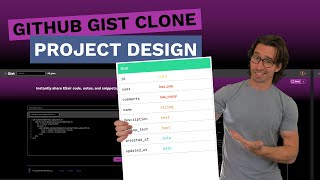
As you can see, we have a user object here and that will include an email, hashed password, and a relationship to the gists and a relationship to saved gists. And then if we go over, we can look at our gist object here, and that will be associated to a user. We'll have a name, a description, the markup text, and then our saved gists is going to just be a joiner table. And what that means is it just holds reference to the user ID of the account that saved it and the gist ID of the gist or code snippet they want to save. So it's relatively simple, the architecture of this app. For as involved as it is, it is really simple and cool.
And I'm just realizing now that we also need to have a relationship between our gist object and comments. So let's go ahead and make that right now. I'm going to just copy this gist object and paste it over here. And what we'll do is, so it will have a user that it's created to, right? Has one. We're going to have to probably unlock, let's see. Ungroup selection, perfect. And so it's going to have a user associated to the comment, so that relationship will exist. And then it also is going to have an association to a gist. So we're going to go ahead and say Gist, and it has one, right?
And then let's just rename this. This is a comment. All right. And then all we're going to have here is, I guess we'll say markup text for our comment. So now we can delete that. There isn't going to be a name. And then markup text is the comment. And then we want to ungroup this guy here and move all these down. And this is going to have a has many like this. So I'm going to just go ahead and copy the user field here and this is going to be comments. And then instead of has one, it will have a has many. And then we can even make our our little relationship arrow here. Relationship arrow from here to here and then there we go.
Project Vision & Next Steps
So this is our data architecture for this whole app. And it's pretty easy, it's simple and so this is going to be a fun series. And then when this is over, I'm going to open up this project as an open source project and we can plan out features and our community will be able to build it out and make it even better as time progresses. So I'm really excited about that little bit of it. And yeah, this is going to be a fun project guys. So we're going to be diving into a lot of great stuff with Phoenix and Live View.
Join my Discord server, Elixir Mentor, if you have any questions or just want to hang out and chat. That link is in the description. If you want to learn how to build scalable, production-ready full-stack and REST API solutions, hit that subscribe button now. I'm Jacob Blitzo, your Elixir Mentor. See you in the next video.