Introduction to Backend as a Service (BaaS)
Backend as a service is the solution for developers who want to focus on building web and mobile apps without worrying about the backend infrastructure. BaaS providers offer a set of tools and services that help developers build apps faster and easier. It generally includes database, authentication, file storage, cloud functions, push notifications, and more features that we need in most of the apps we build. Instead of building the features again and again, we can use a BaaS solution to save time without compromising on the quality of the app. As a large number of developers are using these services, they are well tested and maintained.
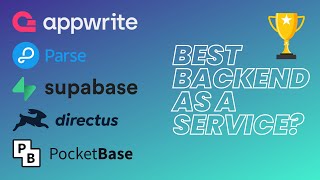
Now the question is, which BaaS solution is the best for your app? Today we will compare five open-source Backend as a Service solutions and find out which one is the best for your app between Appwrite, Directus, Parse, PocketBase, and Supabase. Let's start by comparing the features of these BaaS solutions.
Authentication and Authorization
Authentication and authorization. Authentication is the process of creating and verifying the identity of a user. In simple words, it is the login, sign up, and forgot password functionality. Authorization on the other hand is the process of verifying if a user has access to a specific resource or not.
They all support authentication, including classic email password and social login like Google, Facebook, GitHub, etc., and rules and permissions to control precisely what users can do: read, write, update, delete, and so on. The approach varies from one solution to another; one might fit your needs better than the others, but they all support the basic features to build a secure app. That shouldn't then be the key factor in choosing one over the other.
Database Comparison: SQL vs NoSQL, Real-Time, and UI
Database. Storing data is the core of any app, and the database is the most important part of the backend. Having a database that is easy to use and scale is crucial for the success of your app. Of course, all of them support basic CRUD operations, but the type of database and the way you interact with it is different.
Appwrite and Parse use NoSQL databases, while Directus, PocketBase, and Supabase use SQL databases. Depending on your app, your needs, and your experience, you might prefer one over the other. To view and manage your data, they all provide an admin UI but with completely different approaches. Directus provides a full-featured admin UI allowing you to create custom views and forms for your data. It's a real no-code solution, while Appwrite, Parse, PocketBase, and Supabase provide a more traditional database admin UI.
About the access to the data, they all have SDKs that we will compare later. You can also perform direct REST or GraphQL requests, except for PocketBase, which doesn't support GraphQL. Finally, about real-time, they all can listen to changes in the database and push them to the client in different ways. That allows you to reflect changes in real time in your app, ideal for chat apps, collaborative apps, and more. Only Parse, which is a bit older than the others, doesn't support real-time.
Again, there is no clear winner here. It depends on your needs and preferences. If you plan to move to a custom backend later, you might prefer a solution that uses a SQL database. If you know you will have to create a lot of custom views and forms, Directus might be the best choice. If you need real-time, you might eliminate Parse from your list.
File Storage Capabilities
File storage. File storage is an important feature that you will need in most apps. It allows you to store files like images, videos, and documents. All our contenders support file storage with useful features like permissions, an admin UI, and an image resizing API. They all support S3 compatible storage, which means you can use any S3 compatible storage provider like AWS, Cloudflare R2, or MinIO if you want to host your files on a separate server, useful for scaling and cost optimization.
Parse and PocketBase are the weakest in this category. They don't have an admin UI and permissions for files. I wouldn't recommend them if your project is essentially based on complex and secure file features.
Custom Logic: Functions, Webhooks, and Cron Jobs
Functions, webhooks, and cron jobs. Sometimes you will need to go beyond the basic CRUD operations and add custom logic to your app. You might need to send an email after a purchase, process payments to give access to a premium feature, or send a push notification every day at a specific time. That's where functions, webhooks, and cron jobs come in handy.
They all support functions, webhooks, and cron jobs, but in very different ways. Directus has the most advanced no-code/low-code solution, allowing you to create custom flows with a visual interface. It's a great solution if you want to build a custom backend without writing code. Appwrite and Supabase both can create and view functions from the admin UI, while PocketBase and Parse require you to write your functions code directly on your server, which is a bit more complicated but also more flexible.
A small note about Supabase: their cloud version supports functions out of the box, but their self-hosted version doesn't. 'Til recently, they made their Edge Runtime open source, so with a medium effort, you can add functions to your self-hosted Supabase instance. Overall, you can create custom logic for your app with all of them, but based on your workflow and preferences, you might prefer one over the other.
Push Notifications and Emails
Push notifications and emails. Most of the apps we build need to send emails and/or push notifications. It's a must-have feature for any app. However, many external services provide this feature, so it's not a big deal if your Backend as a Service solution doesn't support it. Still, it's nice to have it in the same place.
Except for Parse, they all support emails out of the box, such as welcome emails, password reset, and more. Parse is the only one that doesn't support email, but you can easily integrate a third-party service like SendGrid or Mailgun. What makes Parse unique is the support for push notifications and its dashboard to send them. It's been a reason for its wide adoption in the past, but again, you can integrate a third-party service like OneSignal or Firebase Cloud Messaging with the others with a few extra lines of code.
Integrations and SDKs
Integrations and SDKs. We have seen that all our BaaS solutions support the essential features to build a web or mobile app, but how easy is it to integrate them into your app? If you are building for the JavaScript ecosystem, you will be well-served by all of them. But when it comes to native mobile apps, Appwrite, Parse, and Supabase are the best options with support for iOS and Android. But remember that you can always use the REST or GraphQL APIs to integrate them in any language.
Final Recommendations and Verdict
Final words. The moment of truth: which one is the best Backend as a Service solution for your app? Well, it depends on your projects and preferences. They all have their pros and cons. They all are great solutions, and you can't go wrong with any of them. They are also all able to handle a large number of users and requests and scale with your app. While there is not one clear winner, I can give you some recommendations based on your needs.
If you are building an app with the need to create custom views and forms based on different roles and permissions, or if you need to give your client access to manage their data, Directus is the best choice. With its no-code/low-code approach, it will save you a lot of time and effort.
If you have a lot of custom logic and need to create custom functions, webhooks, and cron jobs, Appwrite and Supabase are the best options. But as Supabase requires a custom setup for functions, Appwrite is the easiest to get started with.
If you want a lightweight, simple, and high-performance solution, PocketBase is your go-to solution. I would put Parse slightly behind the others. It's a great solution, but it's a bit outdated, which reflects on its features and UI. Still, if push notifications are a must-have feature for your app, it might be the best option.
Our biggest recommendation is to try them before making a decision. They are all open source and free to use, so you can try them and see which one fits your needs better. Each are available as fully managed services on our platform, Elestio, which means we take care of the setup, backup, updates, maintenance, and hosting for you.
Thank you for watching. We hope you find this video useful. If you did, please give it a thumbs up and subscribe to our channel for more videos about open source software. Don't hesitate to leave a comment if you have any questions or suggestions. If you want to continue discovering new open source software, check out this video here.