vLLM Ecosystem Guide: Architecture, Integrations, and Signals
A focused ecosystem guide for vLLM: core repo facts, project categories, integration patterns, maintenance signals, licensing notes, and an actionable discovery checklist.
Executive answer
vLLM is an open-source inference and serving engine with a broad set of runtime, hardware, and model integration capabilities. The project's canonical repository (vllm-project/vllm) is licensed under Apache-2.0 and includes extensive documentation, model support lists, and release artifacts; this guide synthesizes the repository metadata, release notes, and repository structure to map the ecosystem and suggest practical discovery and evaluation steps. Primary sources: the vLLM GitHub repository and the v0.28.0 release notes linked in Sources.
Use this guide to: (1) understand the core repository and where to look for connectors and hardware backends, (2) evaluate integration patterns and maintenance signals before adopting components, and (3) follow an actionable discovery workflow to validate compatibility, licensing, and operational requirements. All repository facts and release citations below are drawn from the supplied sources; inferred architectural conclusions are explicitly labeled.
Core repository snapshot
This table summarizes factual metadata from the vLLM canonical repository as retrieved from the provided sources. Data freshness note: retrieval/generation date is 2026-09-06 (UTC) and the release referenced is v0.28.0 (published 2026-08-26). For full context see the Sources section.
| Field | Value |
|---|---|
| Repository | vllm-project/vllm ([repo]) |
| Description | A high-throughput and memory-efficient inference and serving engine for LLMs |
| Primary language | Python |
| License | Apache-2.0 |
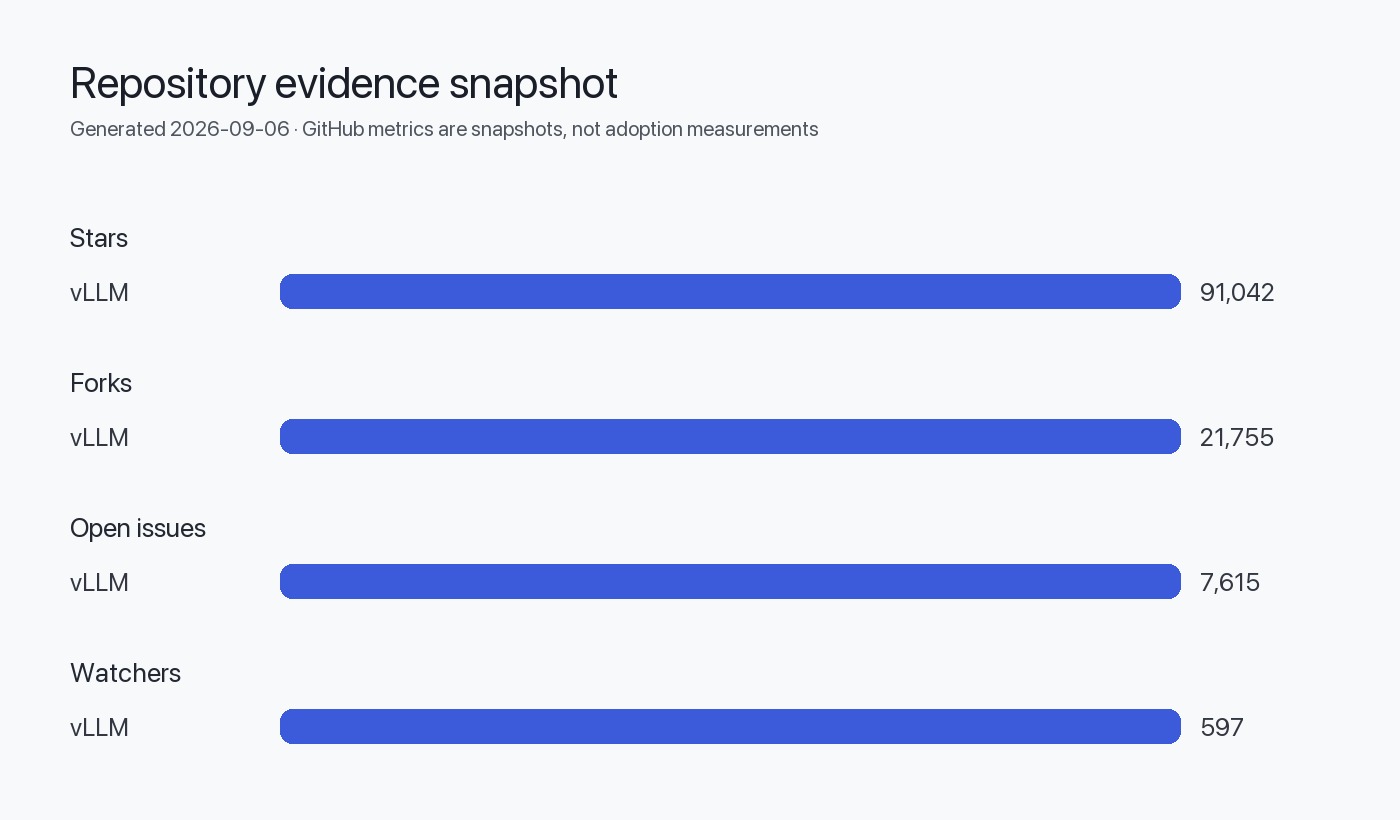
| Stars (GitHub) | 91,042 (signal of interest, not usage) |
| Forks | 21,755 |
| Open issues (GitHub) | 7,615 (not equivalent to defects) |
| Latest release | v0.28.0 (published 2026-08-26) ([release]) |
| Homepage | https://vllm.ai |
Project categories in the vLLM ecosystem
vLLM's public materials describe a layered project and community. The following categories are distilled from the repository topics, README, and release notes. Where a category is an architectural inference from the repository layout or docs, it is labeled as such.
- Core engine: the Python runtime and execution kernels responsible for prefill/decoding, KV cache management, and scheduling. (Inferred from README and release summaries.)
- Model support / adapters: adapters and transformers/backends for many model families on the Hugging Face ecosystem; the project publishes a supported-models list. [!TIP] Consult the repository's supported-models documentation before relying on a specific model.
- Hardware backends and plugins: native and out-of-tree support for NVIDIA (CUDA), AMD (ROCm), Intel XPU, CPU, and others; release notes mention wheels and images for multiple platforms, and explicit plugin and wheel artifacts. (Inferred from release artifacts and platform-specific entries.)
- Quantization & kernels: multiple quantization formats and optimized kernels are documented; release notes enumerate NVFP4, MXFP4, INT8/4, and more for supported scenarios.
- Connectors & offloading: storage and KV offload mechanisms (including disk offloading and pluggable secondary tiers) and external connectors for large-scale serving.
- Frontends & APIs: OpenAI-compatible API server, gRPC, and other API compatibilities are provided per the repository docs and release notes.
- Tooling, recipes, and developer infrastructure: vLLM publishes recipes, release artifacts, CI and packaging practices (wheels, Docker images), and community tools like forums and Slack.
Integration patterns and recommended touchpoints
This section describes common integration patterns you will encounter when adopting vLLM and where to look in the repository and release artifacts.
| Pattern | Where it appears | What to check |
|---|---|---|
| Model loading & adapters | Supported-models docs; model runner modules | Verify transformer/backend compatibility and required library versions (see supported-models list) |
| Serving API compatibility | API docs; OpenAI-compatible server code; gRPC artifacts | Confirm API surface aligns with your client expectations; examine request/session features listed in release notes |
| Hardware/backends | Release artifacts (wheels/images), platform-specific docs | Match CUDA/ROCm/XPU wheel or Docker image to target hardware and OS |
| Offloading & connectors | Offload connector modules; release notes on tiered offloading | Determine whether disk/secondary tiers are supported and how to configure them for your topology |
| Quantization plugin chain | Quantization feature docs; release notes | Check supported quant formats and whether conversion or external plugins (e.g., AWQ/GGUF) are required |
| Speculative decoding & scheduling | Engine Core and release highlights | Review decoding strategies and their opt-in configuration in engine docs |
Evaluation criteria and maintenance signals
Before adopting a major open-source runtime, track these evaluation criteria. The table below gives practical signals and where to find them in the vLLM project.
| Criterion | Signal source(s) | Practical interpretation |
|---|---|---|
| Activity | GitHub commits, release cadence (v0.28.0 published 2026-08-26), recent pushes | Regular releases and recent pushes indicate active maintenance; check changelogs for breaking changes |
| Community | Contributors, forum, Slack, number of PRs and issues | Multiple contributors and public community channels indicate broader engagement; use the forum/Slack to ask questions before production adoption |
| Issue health | Open issues count, issue response patterns | Open-issue count alone is not a defect count; inspect issue age and maintainers' response patterns for signal of responsiveness |
| Release artifacts | Wheels, Docker images, platform-specific artifacts | Presence of platform wheels and Docker images reduces packaging friction; confirm that built artifacts match your hardware and OS needs |
| Documentation quality | docs site and supported-models list | Up-to-date docs with examples and configuration guides shorten ramp time; check the quickstart and model support lists |
| Security process | Security advisories and contact paths | Presence of a security disclosure path and a security advisories feature is essential for production risk management |
| Licensing | Repository license (Apache-2.0) and plugin licensing | Apache-2.0 is permissive, but verify licenses for third-party plugins and model weight licenses |
A compact ecosystem map (visual)
The following Mermaid diagram maps the main components and typical flows you will encounter when building with vLLM. It is an inferred architecture diagram based on repository structure, docs, and release notes; label usage of components is an inference, not a stated architecture from the repo.
flowchart LR
  subgraph Apps
    Client[Client Apps / API Users]
  end
  subgraph vLLM[Core: vLLM Engine]
    API[OpenAI-compatible API / gRPC]
    Scheduler[Request Scheduler / Batching]
    Prefill[Prefill / KV Cache]
    Decode[Decode / Speculative Decoding]
    ModelRunner[Model Runner]
  end
  subgraph Models[Model Sources]
    HF[Hugging Face Models]
    Custom[Custom Checkpoints]
  end
  subgraph HW[Hardware & Backends]
    CUDA[NVIDIA (CUDA)]
    ROCm[AMD (ROCm)]
    XPU[Intel XPU]
    CPU[CPU / Apple Silicon]
  end
  subgraph Storage[Offload & Connectors]
    Disk[Disk Offload]
    Remote[Remote Connectors]
  end

  Client -->|API calls| API
  API --> Scheduler --> Prefill --> ModelRunner --> Decode --> API
  ModelRunner --> HF
  ModelRunner --> Custom
  ModelRunner -->|exec on| CUDA & ROCm & XPU & CPU
  Prefill -->|offload| Disk
  Prefill -->|connector| Remote

  note right of ModelRunner
    Diagram inferred from repo docs and release notes
  end
Licensing considerations
- The core repository is licensed under Apache-2.0 (repository metadata). That grants broad rights for use, distribution, and modification, subject to the license terms. Cite: the repository metadata exposed on GitHub.
- Plugin and wheel artifacts may introduce additional licensing constraints. The release notes indicate platform-specific wheels and out-of-tree plugins; verify the license for any third-party plugin before bundling it into your product.
- Model weights and downstream artifacts often carry separate licenses; vLLM's supported-models list links to Hugging Face checkpoints, which themselves may have individual licensing terms. Confirm model checkpoint license before deploying.
Practical discovery workflow (step-by-step)
Follow these steps when evaluating vLLM for a project. Each step points to the types of evidence you should gather from the repository or release artifacts.
- Confirm core facts: check repository license, primary language, and supported platforms on the repo page. (See Sources.)
- Match release artifacts: find the closest release (v0.28.0) and note available wheels/Docker images for your target OS and hardware. Ensure wheel tags align with your CUDA/ROCm version.
- Validate model support: consult the supported-models documentation to confirm the model family and checkpoint type you intend to use.
- Review API surface: confirm whether the OpenAI-compatible API or gRPC surface meets your integration requirements and whether session/priority features are supported.
- Inspect maintenance signals: open issues, response cadence, contributors list, and latest commits. Look for recent commits, documented breaking changes, and migration notes in changelogs.
- Conduct a short smoke test: run a small local workload (startup, model load, single inference) with the release artifact matching your platform.
- Check performance/quantization needs: identify supported quant formats; plan tests; if you require specific optimizations, verify availability of corresponding kernels or plugins.
- Confirm operational concerns: identify offload connectors, KV tiering, and how they integrate with your storage and monitoring.
- Verify security process: note the security contact path and whether the project uses GitHub Security Advisories.
- Document licensing: collect license files for core repo, any plugin, and the specific model checkpoint license you plan to use.
Action checklist
Evidence, assumptions, and limitations
Evidence
- Repository metadata, README content, and release notes were the only supplied sources for this article. See Sources.
- Release v0.28.0 was published 2026-08-26; repository push/update timestamps in the supplied metadata are as of 2026-09-06.
Assumptions and inferred conclusions (explicitly labelled)
- Inferred architecture: diagrams and the classification of components (core engine, model adapters, connectors) are inferred from repository topics, README descriptions, and release notes; they are not literal architectural diagrams published by the project.
- Inferred integration patterns: suggested patterns are practical interpretations of the repository's features and release artifacts, not prescriptive directions from the maintainers.
Limitations
- I used only the supplied sources. This guide does not incorporate external benchmarks, unreferenced blog posts, or user reports.
- GitHub stars and open-issues were used as signals only; they were not transformed into usage or defect metrics per the editorial rules.
- Any numeric performance claims or comparative speedups quoted in the release notes are described at a high level here; for reproducible performance, run workload-specific tests in your environment.
Sources
- vLLM canonical repository: https://github.com/vllm-project/vllm
- vLLM latest GitHub release (v0.28.0): https://github.com/vllm-project/vllm/releases/tag/v0.28.0
FAQ
What is the single canonical source for vLLM code and releases?
The canonical source is the project's GitHub repository (vllm-project/vllm) and its Releases page; see the Sources section.
Is vLLM permissively licensed for commercial use?
The repository is under the Apache-2.0 license; that is permissive. Verify licenses for any third-party plugins and model checkpoints you plan to distribute or use.
How should I interpret the GitHub stars and open-issue counts?
Stars are interest signals and not a measure of production usage. Open-issue counts are not defect totals; examine issue age, labels, and response patterns for a meaningful assessment.
Where can I find platform-specific artifacts (wheels, Docker images)?
Release artifacts (wheels and Docker images) are published on the project's Releases page; check the release matching your execution environment and hardware (the v0.28.0 release includes multiple platform artifacts).
Are model checkpoints included in the repository?
The repository integrates with external model checkpoints (for example, via Hugging Face). Model weights and their licenses are typically maintained by the model providers; you must confirm license terms for any checkpoint you use.
How do I validate whether a specific quantization format is supported?
Consult the project's documentation and the release notes for quantization support. Then run small, controlled tests using the exact release artifact you plan to deploy to confirm correctness and performance.
If I find a security issue, how should I report it?
The repository exposes a security disclosures path and uses GitHub's Security Advisories feature; follow the repository's security disclosure instructions.