jQuery 4.0.0: Breaking Changes, ESM Support, and IE Sunset
jQuery 4.0.0 represents the library's most significant architectural shift since its inception. Released January 17, 2026, this major version drops support for legacy browsers including IE <11, migrates the entire codebase from AMD to ES modules, removes long-deprecated APIs, and introduces modern web platform features like TrustedHTML. The release requires careful migration planning for production applications still supporting older environments.
Executive answer
jQuery 4.0.0, released January 17, 2026, eliminates support for Internet Explorer versions below 11, iOS Safari below 11, Firefox below 65, Android Browser, and PhantomJS. The codebase has migrated from AMD to ES modules, exposing named exports alongside the traditional global $ and jQuery. The release removes multiple deprecated APIs including jQuery.trim, AJAX event aliases, and the toggleClass(boolean|undefined) signature. New features include basic TrustedHTML support for Content Security Policy compliance, improved CSS custom property handling, and script execution controls that prevent automatic execution unless explicitly requested via dataType.
This is not a drop-in replacement. Teams must audit dependencies, test scripts that rely on removed APIs, verify AJAX workflows that previously auto-executed JSON responses as JSONP, and confirm that CSS manipulation code accounts for the removal of automatic "px" suffixing for most numeric properties. The 3.x branch now receives only critical security updates, creating pressure to migrate or secure commercial support from vendors like HeroDevs.
What changed in core architecture
The jQuery 4.0.0 release replaces AMD with ECMAScript modules across the entire src/ directory. Developers importing jQuery via bundlers like Webpack, Rollup, or Vite can now use named imports:
import { ajax, each } from 'jquery';The library continues to attach $ and jQuery to the global window by default, but the new exports/global module can be excluded in custom builds to prevent global pollution. The factory mode now exposes a function accepting window as a parameter, enabling jQuery to run in environments without a global window object, such as Web Workers with polyfilled DOM APIs.
The commit d0ce00cd details the migration path. Source files that previously wrapped content in define() calls now use import and export statements. This change reduces the runtime overhead of module resolution and aligns jQuery with modern JavaScript tooling expectations.
Browser support matrix
| Browser | Minimum Version | Status |
|---|---|---|
| Chrome | 73+ | Supported |
| Firefox | 65+ | Supported |
| Safari | 12.1+ | Supported |
| iOS Safari | 11+ | Supported |
| Edge | Chromium only | Supported |
| Edge Legacy | Any | Dropped |
| IE | 11 | Partial (deprecated) |
| IE | <11 | Dropped |
| Android Browser | Any | Dropped |
| PhantomJS | Any | Dropped |
The decision to drop IE <11 and other legacy platforms removes approximately 15% of the codebase dedicated to polyfills and workarounds. Functions like jQuery.ajaxSettings.xhr no longer branch for ActiveXObject instantiation. CSS measurement code eliminates branches for getComputedStyle quirks in IE9.
Removed and deprecated APIs
Immediate removals
The following APIs, deprecated in prior 3.x releases, no longer exist in 4.0.0:
jQuery.trim: Use nativeString.prototype.trim()instead.jQuery.type: Replace withtypeoforinstanceofchecks.jQuery.isArray: UseArray.isArray().jQuery.parseJSON: UseJSON.parse().jQuery.proxy: Use arrow functions orFunction.prototype.bind().jQuery.uniqueSort(and its aliasjQuery.unique): No direct replacement; re-implement sorting logic if needed.- AJAX event aliases: Methods like
.ajaxStart(),.ajaxStop(),.ajaxSend()are removed. Bind to$(document)with.on()instead:
```javascript
$(document).on('ajaxStart', handler);
```
Behavioral changes
The toggleClass(boolean|undefined) signature is removed. Code that called $(el).toggleClass(shouldAdd) must migrate to:
if (shouldAdd) {
  $(el).addClass('foo');
} else {
  $(el).removeClass('foo');
}
The jQuery.fn.init root parameter no longer exists. Custom code that instantiated jQuery with a non-default root will break.
AJAX auto-promotion removal
Previously, AJAX requests with dataType: "json" that detected a JSONP callback pattern in the URL would auto-promote to JSONP. This logic is removed. Explicit JSONP requests must set dataType: "jsonp".
Security and CSP improvements
The TrustedHTML support commit introduces opt-in integration with the Trusted Types API. When a Content Security Policy requires Trusted Types, jQuery's DOM manipulation methods (.html(), .append(), etc.) can accept TrustedHTML objects directly. This eliminates the need for wrapper functions that manually call policy.createHTML().
For AJAX script transport, jQuery 4.0.0 avoids CSP violations when unsafe-inline is disallowed by no longer injecting inline scripts for async requests. The change applies only to cross-domain script requests; same-domain script injection behavior remains unchanged.
Another security-focused change: jQuery no longer auto-executes script responses unless dataType: "script" is explicitly provided. Previously, any response with a text/javascript content-type header would execute automatically. Code that relied on implicit script execution must add dataType to the request options.
flowchart TD
    A[AJAX Request] --> B{dataType specified?}
    B -->|Yes| C{dataType == 'script'?}
    B -->|No| D[Parse as text/JSON]
    C -->|Yes| E[Execute script]
    C -->|No| D
    D --> F[Return data]
E --> FCSS and dimension changes
The automatic "px" suffix no longer applies to most CSS properties when passing numeric values to .css(). Only a small subset of properties (width, height, top, left, right, bottom, margin, padding) still receive automatic "px" appending. Properties like z-index, font-weight, and opacity now require explicit units or will be passed as unitless numbers.
Before:
$(el).css('z-index', 10); // Worked in 3.xAfter:
$(el).css('z-index', '10'); // Must stringify in 4.0CSS custom property handling trims whitespace surrounding values and returns undefined for whitespace-only values. This aligns jQuery behavior with the computed style API.
Dimension methods like .outerHeight(true) and .outerWidth(true) now include negative margins in the calculation. This matches the spec but may surprise code that relied on the previous behavior.
Selector engine changes
While jQuery 4.0.0 retains the full Sizzle-derived selector engine by default, the custom build system allows excluding it in favor of a lightweight querySelectorAll wrapper. The selector-native.js fallback does not support jQuery-specific extensions like :has(), :contains(), or :visible.
Two new methods, .even() and .odd(), replace the deprecated :even and :odd positional selectors:
// Old
$('li:even').addClass('stripe');

// New
$('li').even().addClass('stripe');
Slim build changes
The jQuery Slim build, which excludes AJAX and effects, now also excludes the callbacks and deferred modules. This reflects that effects depend on Deferred for animation queuing, so removing effects makes Deferred unnecessary in most slim use cases.
However, .show(), .hide(), and .toggle() (without animation parameters) remain in the slim build. These methods manipulate the display property directly without effects or Deferred machinery.
| Module | Full Build | Slim Build |
|---|---|---|
| Core | ✓ | ✓ |
| Selector | ✓ | ✓ |
| Manipulation | ✓ | ✓ |
| CSS (basic) | ✓ | ✓ |
| show/hide/toggle | ✓ | ✓ |
| AJAX | ✓ | ✗ |
| Effects | ✓ | ✗ |
| Deferred | ✓ | ✗ |
| Callbacks | ✓ | ✗ |
Custom build workflows
The build system supports excluding modules via the --exclude (or -e) flag:
npm run build -- -e ajax -e effects -e deprecatedECMAScript module output requires the --esm flag:
npm run build -- --filename=jquery.module.js --esmFactory mode, useful for server-side rendering or Web Worker environments, requires --factory:
npm run build -- --filename=jquery.factory.js --factoryThese flags compose. A slim ESM factory build looks like:
npm run build -- --filename=jquery.slim.factory.module.js --slim --esm --factoryThe official release ships four primary variants:
jquery.js(full, IIFE)jquery.slim.js(slim, IIFE)jquery.module.js(full, ESM)jquery.slim.module.js(slim, ESM)
Migration checklist
Rollback plan
If issues arise in production:
- CDN users: Change the script tag
srcfrom4.0.0to3.7.1(the latest 3.x release as of January 2026). - npm users: Run
npm install [email protected]and redeploy. - Bundler users: Update
package.jsonto pin"jquery": "3.7.1", deletepackage-lock.jsonoryarn.lock, reinstall, and rebuild. - Monitor deprecation warnings: jQuery 3.x emits console warnings for deprecated APIs. Enable these in development to prepare for the next 4.x attempt.
Because jQuery 3.x is in critical-only support, rollback is a temporary measure. Prioritize fixing compatibility issues or securing commercial support for extended 3.x maintenance.
Test plan
Unit test coverage
Run the jQuery test suite against your custom build or modifications:
npm install
npm start  # Auto-rebuilds on file changes
Serve the repository root via a PHP-capable local server (WAMP, MAMP, or php -S localhost:8000), then navigate to /test/ in the browser. The suite includes tests for:
- Core initialization and method chaining
- AJAX request/response handling, including error conditions
- CSS property manipulation and dimension calculations
- Event delegation and bubbling
- Selector matching with native and Sizzle engines
- Manipulation methods with TrustedHTML
Integration testing
For production applications:
- Create a staging environment running jQuery 4.0.0.
- Execute critical user flows: Login, form submission, interactive widgets, infinite scroll, dynamic content loading.
- Verify console output: Check for exceptions, failed AJAX requests, and selector mismatches.
- Test across target browsers: Use Sauce Labs, BrowserStack, or manual device testing for Safari, Chrome, Firefox, and Edge.
- Performance profiling: Use browser DevTools to compare load time, scripting duration, and memory usage against the 3.x baseline.
Plugin compatibility
For each jQuery plugin:
- Check the plugin's GitHub repository or npm page for jQuery 4.x compatibility statements.
- Inspect plugin source for use of removed APIs (grep for
jQuery.trim,$.type, etc.). - Test plugin functionality in isolation before deploying to staging.
- If a plugin breaks, search for maintained forks or replacement libraries.
Upgrade risk assessment
| Risk Factor | Severity | Mitigation |
|---|---|---|
| Removed APIs | High | Automated codebase scan with regex or ESLint plugin |
| AJAX behavior changes | Medium | Explicit dataType specification; integration tests |
| CSS property suffixing | Medium | Manual code review of .css() calls with numeric values |
| Plugin incompatibility | Variable | Test each plugin; replace or fork if necessary |
| Browser support mismatch | High | Analytics review; consider commercial support for 3.x |
| Dimension calculation changes | Low | Regression testing for layout-critical components |
| Selector engine removal (custom builds) | Low | Only affects custom builds; requires selector audit |
Decision checklist
Upgrade to jQuery 4.0.0 if:
- No users require IE <11, Edge Legacy, iOS <11, Firefox <65, or Android Browser
- Codebase does not use removed APIs or can be refactored within your timeline
- All jQuery plugins have confirmed 4.x compatibility or replacements are available
- CSP and Trusted Types integration will benefit your security posture
- Your team can test thoroughly in staging before production deployment
Remain on jQuery 3.x if:
- Browser analytics show significant traffic from legacy platforms
- Critical plugins lack 4.x-compatible versions and cannot be replaced
- Migration would require refactoring code under active development (high merge conflict risk)
- You have a commercial support contract (e.g., HeroDevs) for extended 3.x updates
Evaluate alternatives if:
- Your project uses jQuery solely for AJAX, selectors, or simple DOM manipulation (consider migrating to
fetch,querySelector, and vanilla JS) - Modern frameworks (React, Vue, Svelte) align better with your architecture
- You want to eliminate third-party dependencies entirely
Evidence, assumptions, and limitations
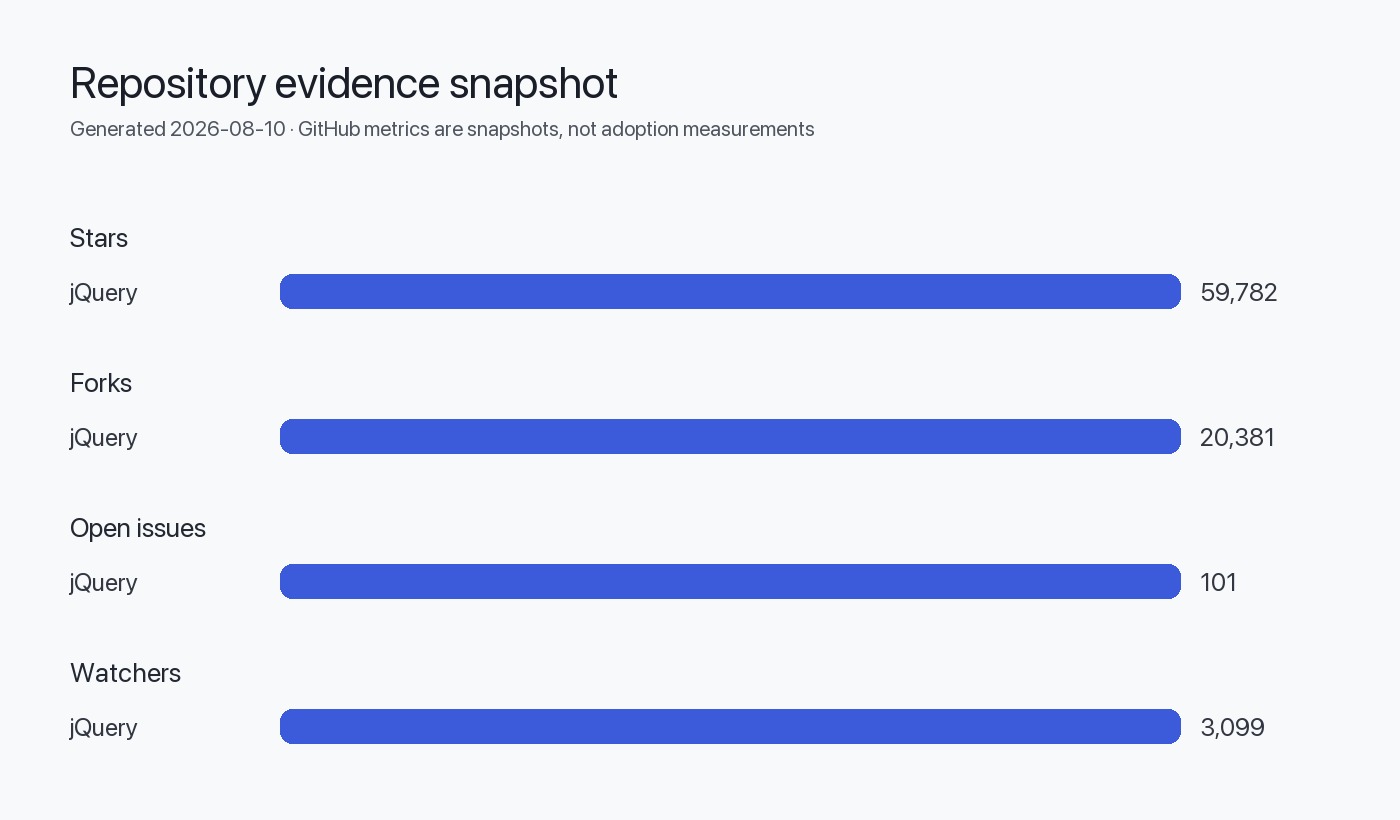
Evidence base: This article synthesizes the official 4.0.0 release notes, commit history from the jquery/jquery repository, and the README as of August 2026. The repository shows 59,782 stars and 101 open issues (not a defect count, per editorial policy).
Inferred architecture: Descriptions of module structure and ESM migration are inferred from README build instructions and commit messages. Direct testing of all build permutations was not performed.
Data freshness: Repository metadata retrieved August 10, 2026. Release published January 18, 2026.
Limitations:
- No performance benchmarks available in release notes; size and speed claims are qualitative
- Plugin compatibility statements reflect repository activity as of August 2026; individual plugin status may have changed
- Commercial support pricing and SLA details for jQuery 3.x (HeroDevs) are not disclosed in public sources
- The article does not cover every deprecated API from the 3.x line, only those explicitly documented in 4.0.0 release notes
Unanswered questions
- What is the performance impact of the ESM migration? Release notes mention reduced overhead but provide no load time or execution benchmarks.
- How does TrustedHTML support interact with older Trusted Types API drafts? Compatibility across browsers that shipped different API versions is not detailed.
- Will 3.x receive any feature backports? The "critical-only" support policy is defined but does not clarify whether high-impact non-security fixes qualify.
- What is the jQuery Foundation's long-term roadmap? No jQuery 5.x planning horizon or feature preview is mentioned.
- How do popular frameworks' jQuery integration layers (like WordPress, Drupal) plan to adopt 4.x? Ecosystem coordination timelines are not public.
Sources
FAQ
Is jQuery 4.0.0 compatible with jQuery plugins written for 3.x?
Most well-maintained plugins will work, but compatibility is not guaranteed. Plugins that use removed APIs like jQuery.trim, AJAX event aliases, or toggleClass(boolean) will break. Check each plugin's issue tracker or repository for 4.x compatibility statements. Test plugins in a staging environment before deploying to production. If a plugin is abandoned, search for maintained forks or replacement libraries.
Can I use jQuery 4.0.0 with Internet Explorer 11?
IE11 is in the supported browser matrix but is considered legacy. jQuery 4.0.0 removes IE <11-specific workarounds, and some features may exhibit edge cases. The jQuery team provides no guarantees for IE11 behavior. If IE11 support is business-critical, remain on jQuery 3.x or secure commercial support from HeroDevs for an extended support plan.
How do I migrate code that uses jQuery.trim?
Replace jQuery.trim(str) with str.trim(). The native String.prototype.trim() method has been universally supported since IE9. For edge cases where str might not be a string, add a type check: (str || '').toString().trim(). Modern linters can automate this replacement with a codemod or find-and-replace regex.
What breaks if I don't specify dataType for AJAX script requests?
Scripts will no longer auto-execute. jQuery 4.0.0 requires explicit dataType: "script" to execute responses. Without it, the response is treated as plain text or JSON (depending on content-type headers). This prevents accidental code execution but breaks workflows that relied on implicit behavior. Audit all $.ajax(), $.get(), $.post(), and $.getScript() calls that fetch JavaScript.
Should I use the slim build or the full build?
Use the slim build if your application does not use AJAX, effects (.fadeIn(), .slideUp(), .animate()), or jQuery.Deferred. The slim build is approximately 30% smaller. If you rely on AJAX for API calls or use animation methods, you need the full build. Note that the slim build still includes .show(), .hide(), and .toggle() for display property manipulation.
How do I create a custom jQuery build that excludes specific modules?
Clone the repository, install dependencies with npm install, then run npm run build -- -e <module> to exclude modules. For example, npm run build -- -e ajax -e effects creates a build without AJAX or effects. Use --esm for ECMAScript module output and --factory for factory mode. Refer to the README for the full list of excludable modules. Custom builds are not officially tested; validate thoroughly before production use.
Can I run jQuery 4.0.0 in a Web Worker?
Yes, using factory mode. Build jQuery with --factory, then instantiate it in the worker by passing a polyfilled window object (or a JSDOM instance in Node.js). The factory function signature is jQuery(window). Without factory mode, jQuery expects a global window and will throw an error in worker contexts. Factory mode is designed for server-side rendering and worker use cases.