Ghost adoption analysis: signals, risks, and checklist
A focused adoption analysis of Ghost (TryGhost/Ghost) using repository metadata and release information to surface signals, selection risks, and a practical decision checklist.
Executive answer
Ghost's canonical repository (TryGhost/Ghost) shows signals consistent with an actively maintained open-source CMS project: a non-archived repository, an MIT license, regular releases (latest tagged v6.62.0), recent pushes, and visible project infrastructure (CLI and docs referenced in the README). These signals support evaluating Ghost as a candidate for publishing, membership, or newsletter use—provided teams validate operational fit, integration surface area, hosting model, security posture, and migration complexity in their own environment.
This analysis focuses on repository-derived signals and practical selection risks. It treats GitHub stars as an interest indicator (not market share), explicitly notes where architectural conclusions are inferred from the README or repository layout, and lists the additional evidence engineering teams should collect before committing to production use.
Data snapshot and provenance
Data in this article is drawn from the TryGhost/Ghost repository metadata and the project's latest GitHub release. Where freshness matters, the generated retrieval timestamp is Sep 6, 2026. Primary sources used in this analysis are the repository home and the latest release pages: TryGhost/Ghost on GitHub and the v6.62.0 release entry (v6.62.0 release).
Quick quantitative snapshot (repository facts)
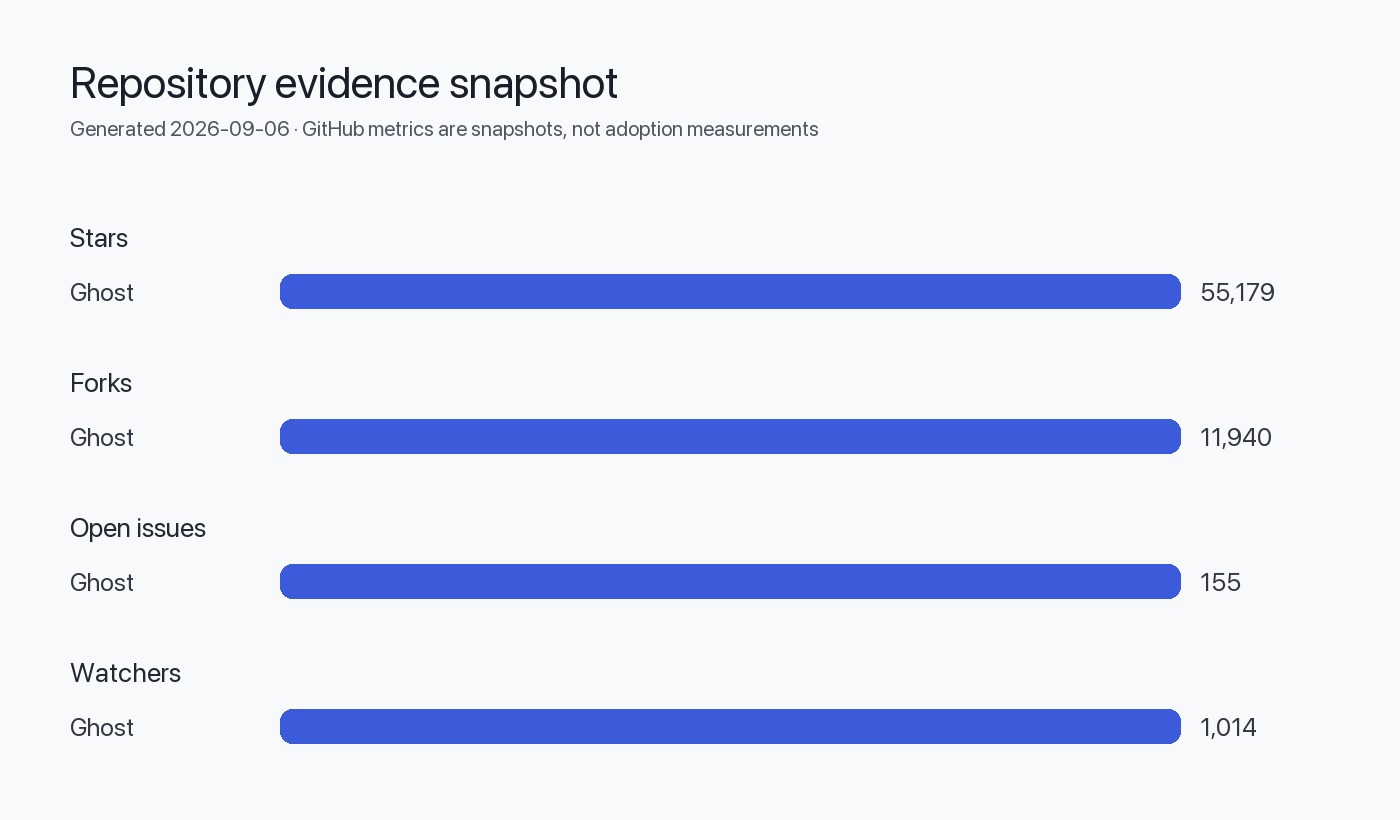
The table below lists repository facts pulled from the project metadata (see Sources). All numbers are as-reported on the repository pages referenced above.
| Metric | Value |
|---|---|
| Repository | TryGhost/Ghost ([repo])(TryGhost/Ghost on GitHub) |
| Stars | 55,179 |
| Forks | 11,940 |
| Watchers | 1,014 |
| Open issues | 155 |
| Primary language | JavaScript |
| License | MIT |
| Default branch | main |
| Archived | false |
| Created at | May 4, 2013 |
| Last pushed at | Sep 6, 2026 |
| Repo updated at | Sep 5, 2026 |
| Latest release | v6.62.0 (published Sep 1, 2026) ([release])(v6.62.0 release) |
Interpreting activity and release signals
Repository metrics are directional signals; they require context. Below is an interpretation table designed to help engineering teams translate GitHub metadata into operational questions and actions.
| Signal | What it suggests | Follow-up questions / actions |
|---|---|---|
| Non-archived + recent push (pushed_at: 2026-09-06) | Active development and maintenance | Review commit history for churn, breakages, and scope of recent changes; check branch protection and CI status. |
| Latest release published (2026-09-01) | Releases are being published (semantic cadence unspecified) | Inspect release notes, frequency of releases, and upgrade guides; check for breaking-change policies in docs. |
| MIT license | Permissive license simplifies redistribution and commercial use | Confirm license file in repo and any third-party dependency license obligations for production use. |
| Open issues: 155 | There is an open issue backlog (not a defect count) | Triage issue types (bug vs. enhancement vs. question); sample issues to estimate time-to-resolution for critical bugs. |
| Stars/forks/watchers | Community interest and forks for experimentation | Use forks to find community-maintained forks, integrations, or long-lived customizations; do not equate stars with deployment count. |
Release cadence (evidence-based view)
The repo shows a named latest release (v6.62.0). The presence of frequent, recent releases is evidence of ongoing maintenance; frequency and stability must be judged by looking at the sequence of published releases and their changelogs. For teams evaluating upgrade burden, inspect the releases' README-links and changelog comparisons to detect breaking changes or major behavioral shifts. See the v6.62.0 release page for a concrete example of how release notes are presented: v6.62.0 release.
Repository quality and project health signals
Assessing project health requires triangulating multiple repository signals rather than relying on any single metric. Below are specific checks and what to look for.
Table: Signals to check and how to interpret them
| Signal / artifact | Where to find it | Why it matters | What to look for |
|---|---|---|---|
| README and docs | Repository root and docs links | Onboarding and contributor guidance affect adoption speed | Completeness of install instructions, links to docs/forums, CLI guidance (see README text referencing docs and CLI). |
| CI badges and workflow files | README badges and .github/workflows | CI indicates automated testing and quality gate enforcement | Check for passing CI on main branch, test coverage, deployment pipelines. |
| Issue activity | Issues tab | Issue triage quality affects incident response | Look for labels, recent activity, maintainers responding, and issue age distribution. |
| Pull request activity | Pull requests tab | PR throughput indicates maintenance capacity | Check average time to merge, number of open PRs, and backlog of dependency updates. |
| Security policy | SECURITY.md or docs | Availability of a security contact and disclosure policy is a risk control | Presence of Responsible Disclosure / security contact for reporting vulnerabilities. |
| Releases | Releases tab | Release notes indicate stability and migration steps | Presence of changelogs, upgrade notes, semantic versioning signals. |
Licensing and commercial considerations
Ghost is released under the MIT license (as reported in the repository metadata). That permissive license typically imposes minimal restrictions on commercial use and redistribution, but teams should confirm the license file in the repository and audit third-party dependencies for incompatible licenses. Also note that Ghost Foundation operates Ghost(Pro), a managed hosting offering referenced in the README; differentiate the software licensing (MIT) from commercial services the foundation provides when estimating operating costs.
Ecosystem signals and integrations
Repository topics include terms such as blogging, cms, javascript, nodejs, publishing, and web-application. The README references supporting artifacts: official documentation, a forum, and contributing guides. These are evidence of an ecosystem that includes docs, community support channels, and a route for contributions. Teams should check the ecosystem for the specific integrations they need (e.g., identity providers, email delivery, CDN, storage drivers) by searching community plugins, themes, and marketplace listings rather than inferring coverage from repo topics alone.
Inferred architectural notes (explicitly labeled):
- Inferred from README/repo structure: The project provides a CLI tool for installation and local development (the README references
ghost-cliinstall instructions and local/production install flows). Treat this as a README-inferred operational affordance; verify the CLI's compatibility with your target OS and hosting environment.
- Inferred from README/repo structure: The README indicates an official managed hosting option (Ghost(Pro)), implying the project supports both self-hosted and hosted models. Teams should evaluate both models for cost, control, and SLAs.
Selection risks and operational concerns
Below are the most common selection risks teams should evaluate before adopting Ghost in production.
- Upgrade and migration risk
- Releases exist and are active, but the real-world upgrade burden depends on data migration, theme compatibility, and third-party integrations. Require a staging upgrade test.
- Dependency and platform risk
- Primary language is JavaScript (Node.js); confirm supported Node.js versions and any native dependency requirements. Check whether the project pins or routinely updates transitive dependencies.
- Operational and hosting model risk
- Self-hosting requires operational expertise (backups, scaling, CDN, SSL). The README documents a managed service (Ghost(Pro)), which reduces operational burden but introduces vendor/service dependency and cost.
- Support and incident response risk
- Community support channels exist (forum referenced in README). For tighter SLAs, validate Ghost(Pro) support options and consider commercial support channels.
- Security and governance risk
- Confirm presence of a security policy, vulnerability disclosure process, and whether critical CVEs affecting dependencies are tracked.
What additional evidence teams should collect
Before selecting Ghost for production, collect this evidence in your environment:
- Run a proof-of-concept (PoC) that mirrors your deployment topology: same Node.js version, same storage backend, and similar traffic. Verify performance, memory usage, and vertical/horizontal scaling characteristics.
- Test upgrade paths: install an earlier supported release and perform an upgrade to the current release in a staging environment to exercise migrations and theme compatibility.
- Audit third-party dependencies for licensing and known vulnerabilities (SCA tooling). Document which transitive dependencies are in use and whether they require native build tools.
- Verify integrations: test the identity provider (for member authentication), email provider (for newsletters), and media storage (local vs. S3/compatible stores) you intend to use.
- Confirm backup and restore procedures: perform full restores to validate data integrity and time-to-restore.
- Review issue and PR history for incidents similar to your use case (e.g., membership auth bugs, image handling issues), sampling issues to estimate responsiveness and the typical time to resolution.
Decision checklist
Action checklist (short, operational steps)
- Provision a staging environment using the project's recommended stack.
- Deploy Ghost using the official CLI in a controlled test cluster.
- Run integration tests for email, members, and media storage.
- Simulate an upgrade from a previous minor version and record migration logs.
- Schedule a security and dependency audit, then remediate blocking items.
flowchart TD
  A[Start: Evaluate Ghost for project] --> B{Do we need managed hosting?}
  B -- Yes --> C[Assess Ghost(Pro) pricing & SLAs]
  B -- No --> D[Self-host: provision staging infra]
  D --> E[Run PoC with target Node.js & storage]
  C --> E
  E --> F{Integration tests pass?}
  F -- No --> G[Investigate causes: dependencies, themes, configs]
  F -- Yes --> H[Run upgrade/migration test]
  H --> I{Upgrade smooth?}
  I -- No --> G
  I -- Yes --> J[Approve production rollout plan]
  G --> K[Decide: contribute fix, choose alternate, or accept risk]
  K --> L[Document decision & next steps]
  J --> L
Evidence, assumptions, and limitations
- Evidence used: repository metadata fields and latest release information from the project's GitHub pages. Primary sources: TryGhost/Ghost on GitHub and the v6.62.0 release page (v6.62.0 release).
- Freshness: data retrieval/generation timestamp is Sep 6, 2026. Metrics (stars, forks, open issues, pushed_at, release dates) are as reported at that time.
- Assumptions and explicit limits:
- Stars, forks, and watchers are treated strictly as repository metadata and interest indicators—not as measures of market share, active deployments, or reliability. (This follows the editorial rule that GitHub stars are interest signals, not usage measurements.)
- Open-issue counts are not treated as defect counts; they are used only as a pointer to measure backlog and triage quality.
- Architectural statements flagged as "Inferred from README/repo structure" are hypotheses based on repository documentation and structure; teams must validate them in a working clone and the live docs.
- This article does not include external usage telemetry, customer references, or third-party market research—only repository-provided evidence. Do not treat these repository signals as a substitute for production piloting.
Sources
- Ghost canonical repository: https://github.com/TryGhost/Ghost
- Ghost latest GitHub release: https://github.com/TryGhost/Ghost/releases/tag/v6.62.0
FAQ
Is the number of stars a reliable indicator of how many sites run Ghost?
No. GitHub stars are an expression of interest or bookmarking and do not represent deployment counts, active users, or market share. Use stars as a signal of community attention, not as a usage metric.
Does Ghost provide an official hosted offering?
Yes. The repository README references Ghost(Pro), the project's managed hosting service. That is a commercial hosting option separate from the MIT-licensed source code.
Are open issues equivalent to bugs in production?
No. Open issues include feature requests, questions, and other work items. Sample and categorize open issues to estimate the number of actionable bugs and maintainers' response behavior.
What should I test in a PoC before choosing Ghost?
Run a staging deployment that mirrors your production topology, verify Node.js runtime compatibility, test membership/email integrations, exercise uploads and image handling, and run an in-place upgrade to observe migrations.
Does the repository provide an upgrade or migration guide?
The project maintains release notes and links in its release entries; teams should inspect the releases and the docs referenced in the README to determine the availability of upgrade and migration instructions. See the v6.62.0 release page for an example of how changes are documented.
Is Ghost suitable for heavy-traffic publication sites out of the box?
Repository signals indicate active maintenance and a CLI for production installs, but whether Ghost meets specific performance needs depends on architecture choices (caching, CDN, database scaling). Perform performance testing in a representative environment to validate capacity.
What security controls should I verify prior to production?
Confirm if the repository contains a SECURITY.md or similar disclosure process, check the project's response pattern on security issues, run an SCA scan for dependencies, and validate the process for applying security patches and backporting fixes.