ASP.NET Core Ecosystem Guide: Architecture & Packages
A comprehensive map of the ASP.NET Core ecosystem, covering the core repository architecture, package categories, integration patterns with EF Core and Razor, maintenance signals, and a practical workflow for discovering and evaluating community extensions.
ASP.NET Core Ecosystem Guide: Architecture & Packages
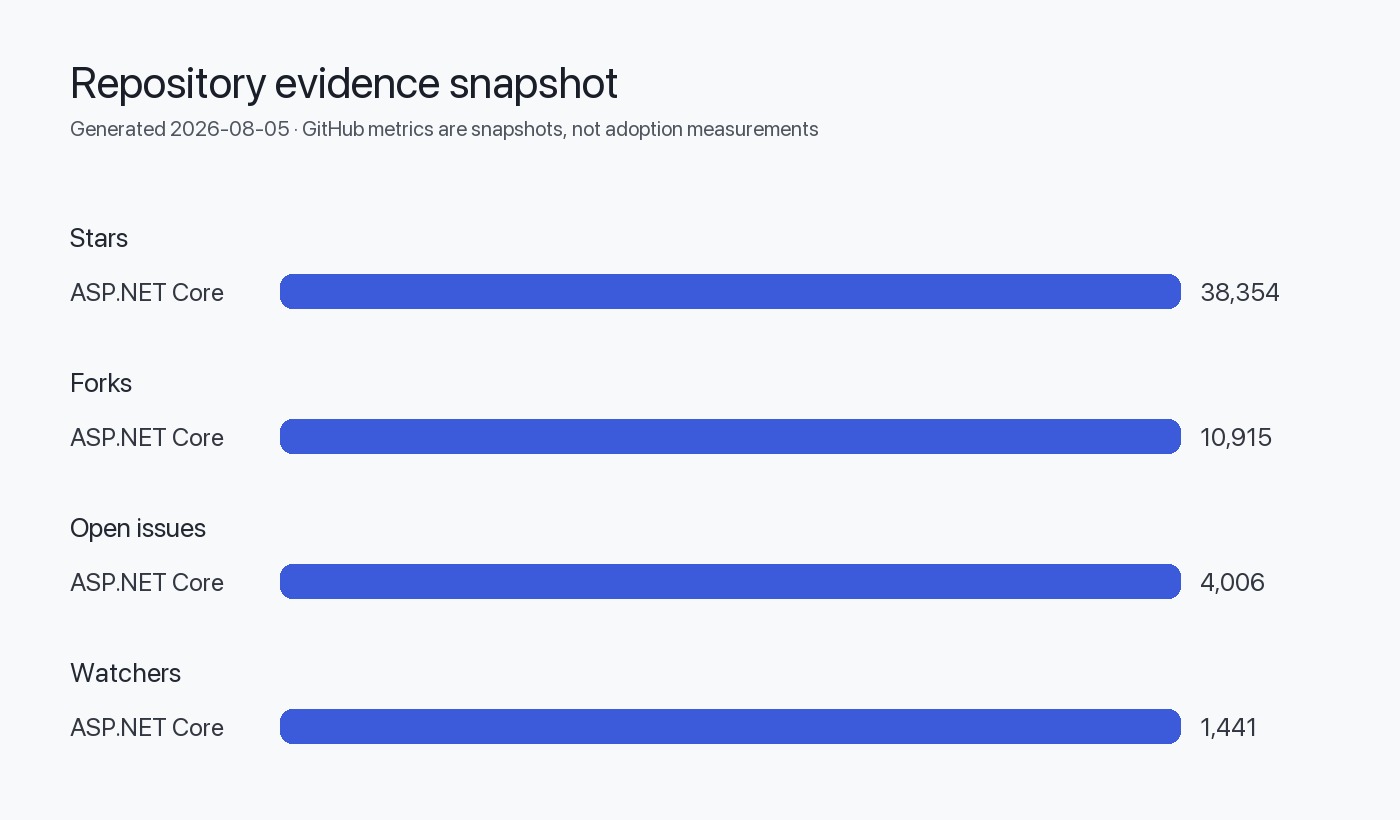
The ASP.NET Core ecosystem centers on a single canonical repository maintained by the .NET team at Microsoft. Unlike fragmented ecosystems, ASP.NET Core delivers a cohesive, modular framework through NuGet packages that span web APIs, server-side rendering, real-time communication, and gRPC services. The repository contains 38,354 stars and 10,915 forks as of August 2026, reflecting sustained developer interest. The framework is MIT-licensed and runs cross-platform on Windows, macOS, and Linux through the .NET runtime.
This guide maps the core repository structure, classifies first-party and community package categories, explains integration patterns with Entity Framework Core and Razor, and provides a practical workflow for evaluating extensions. We focus on architectural signals inferred from repository organization, release cadence, and documented dependencies—avoiding unverified adoption claims or speculative performance comparisons.
Table of Contents
Core Repository Structure
The dotnet/aspnetcore repository is the canonical source for ASP.NET Core framework components. Created in March 2014 and actively maintained through August 2026, it contains:
- Modular runtime components: Kestrel web server, middleware pipeline, dependency injection, configuration, logging
- High-level frameworks: MVC, Razor Pages, Blazor (server and WebAssembly hosting)
- Real-time and RPC: SignalR for WebSocket-based communication, gRPC for contract-first APIs
- Authentication and authorization: Cookie, JWT bearer, OAuth 2.0, OpenID Connect middleware
- Cross-cutting infrastructure: Health checks, response caching, rate limiting, output caching
Based on the repository structure (as visible in the /src directory organization), ASP.NET Core separates concerns into distinct projects:
- Hosting and servers:
Microsoft.AspNetCore.Server.Kestrel, HTTP.sys (Windows-only) - Middleware primitives:
Microsoft.AspNetCore.Http, routing, endpoint metadata - Application frameworks:
Microsoft.AspNetCore.Mvc,Microsoft.AspNetCore.Components(Blazor) - Protocol implementations:
Microsoft.AspNetCore.SignalR,Grpc.AspNetCore
The repository includes submodules for external dependencies like Google Test (for native code testing) and coordinates with the dotnet/runtime and dotnet/razor repositories. The /eng directory contains build infrastructure, and /docs provides contributor documentation.
First-Party Package Categories
ASP.NET Core distributes as NuGet packages. The framework installs via the .NET SDK, which includes a shared framework runtime. Developers reference packages explicitly only when using optional features or targeting specific APIs.
Runtime and Hosting
| Package | Purpose | Bundled in SDK |
|---|---|---|
Microsoft.AspNetCore.App | Metapackage referencing all core components | Yes (shared framework) |
Microsoft.AspNetCore.Server.Kestrel | Cross-platform HTTP server | Yes |
Microsoft.AspNetCore.Server.HttpSys | Windows HTTP stack integration | Yes |
Microsoft.AspNetCore.Hosting | Application startup and lifecycle | Yes |
Application Frameworks
| Package | Purpose | Bundled in SDK |
|---|---|---|
Microsoft.AspNetCore.Mvc | MVC and Web API controllers | Yes |
Microsoft.AspNetCore.Mvc.Razor.RuntimeCompilation | Hot reload for Razor views | No (opt-in) |
Microsoft.AspNetCore.Components | Blazor component model | Yes |
Microsoft.AspNetCore.Components.WebAssembly | Blazor WebAssembly hosting | No (separate runtime) |
Real-Time and RPC
Microsoft.AspNetCore.SignalR.Clientand.Core: WebSocket-based bidirectional communicationGrpc.AspNetCore: gRPC server implementation over HTTP/2Grpc.AspNetCore.Server.Reflection: Service reflection for gRPC tooling
Authentication and Security
Microsoft.AspNetCore.Authentication.JwtBearer: JWT validation middlewareMicrosoft.AspNetCore.Authentication.OpenIdConnect: OIDC client flowMicrosoft.AspNetCore.Authentication.Certificate: Client certificate authenticationMicrosoft.AspNetCore.DataProtection: Key management and encryption for cookies and tokens
Integration Patterns
ASP.NET Core integrates tightly with companion Microsoft projects and third-party libraries through standardized extension points.
Entity Framework Core
The dotnet/efcore repository provides ORM and database abstraction. Integration occurs via:
- Service registration:
services.AddDbContext<MyContext>()inProgram.cs - Dependency injection: Controllers and Razor Pages receive
DbContextinstances via constructor injection - Middleware coordination: EF Core uses the same
ILoggerandIConfigurationabstractions
EF Core migrations run independently of ASP.NET Core but share connection strings from appsettings.json. The Microsoft.EntityFrameworkCore.Design package enables design-time tooling.
Razor Compilation
The dotnet/razor repository hosts the Razor compiler and Language Server Protocol support. ASP.NET Core consumes Razor via:
- View compilation:
.cshtmlfiles compile to C# classes at build time or runtime - Tag Helpers: Custom HTML elements backed by C# code (e.g.,
<form asp-action="Create">) - Blazor components:
.razorfiles use the same compiler with component-specific semantics
Razor runtime compilation (Microsoft.AspNetCore.Mvc.Razor.RuntimeCompilation) watches file changes during development, trading startup performance for iteration speed.
Identity Framework
The Microsoft.AspNetCore.Identity packages provide user management, password hashing, and two-factor authentication. Identity integrates with:
- EF Core for user storage (via
IdentityDbContext) - Cookie authentication middleware for session management
- External providers (Google, Microsoft, Facebook) through OAuth 2.0 middleware
graph TD
    A[ASP.NET Core App] --> B[Kestrel Server]
    A --> C[Middleware Pipeline]
    C --> D[Routing]
    C --> E[Authentication]
    C --> F[Authorization]
    D --> G[MVC Controllers]
    D --> H[Razor Pages]
    D --> I[Blazor Components]
    G --> J[Entity Framework Core]
    H --> J
    I --> K[SignalR Hub]
    A --> L[Configuration]
    A --> M[Logging]
    L --> N[appsettings.json]
    M --> O[ILogger Providers]
Community Extension Landscape
The ASP.NET Core ecosystem includes community-maintained packages that extend the framework. We classify these by function but do not recommend specific implementations due to the absence of verified adoption or maintenance data.
API Documentation and Specification
- OpenAPI/Swagger: Tools generate interactive API documentation from controller metadata. The framework added minimal API support in .NET 6+.
- Versioning: Libraries manage API version negotiation via headers, query strings, or URL paths.
Validation and Serialization
- FluentValidation: Alternative to Data Annotations for complex validation rules
- JSON handling:
System.Text.Jsonships with ASP.NET Core; some projects use Newtonsoft.Json for compatibility
Health and Observability
- Metrics and tracing: The framework supports OpenTelemetry via
System.DiagnosticsAPIs. Extensions export to Prometheus, Jaeger, or Application Insights. - Health checks:
Microsoft.Extensions.Diagnostics.HealthChecksis first-party; community packages add database-specific checks.
Background Processing
- Hosted services:
IHostedServiceandBackgroundServicebase classes enable long-running tasks - Job scheduling: Third-party libraries add cron-like scheduling atop hosted services
Evaluation Criteria for Packages
Choosing between first-party and community packages requires assessing compatibility, support, and architectural fit.
Licensing and Governance
The core framework is MIT-licensed and governed by the .NET Foundation. Community packages vary:
- Permissive licenses (MIT, Apache 2.0): Allow commercial use without disclosure
- Copyleft licenses (GPL, AGPL): May require source disclosure if modified
- Dual licensing: Some projects offer commercial licenses for proprietary use
Verify license compatibility with your product before integration.
API Stability
ASP.NET Core follows semantic versioning:
- Major versions (e.g., 6.0 → 7.0): May introduce breaking changes; aligned with .NET runtime releases
- Minor updates: Add features without breaking compatibility
- Patch releases: Security fixes and bug corrections (e.g., v8.0.29 released July 2026)
Community packages may not follow the same cadence. Check if the package targets a specific ASP.NET Core version or uses feature detection.
Dependency Surface
Minimize transitive dependencies to reduce supply-chain risk:
- Direct dependencies: Packages the project explicitly references
- Transitive dependencies: Packages pulled in by direct dependencies
- Diamond dependencies: Multiple packages depend on different versions of the same library
Use dotnet list package --include-transitive to audit dependency trees.
Maintenance and Release Signals
The canonical repository provides several indicators of project health and release cadence.
Release Schedule
Microsoft publishes ASP.NET Core releases aligned with .NET runtime versions:
- Long-Term Support (LTS): Supported for three years (e.g., .NET 8 until November 2026)
- Standard Term Support (STS): Supported for 18 months
- Nightly builds: Available via documented links for testing pre-release features
The latest tagged release as of July 2026 is v8.0.29, which includes dependency updates and a security fix for cookie authentication return URL validation.
Contribution Activity
The repository shows:
- Last push: August 5, 2026 (recent activity)
- Topics:
aspnetcore,dotnet,hacktoberfest,help-wanted(signals openness to contributions) - Default branch:
main(follows modern Git conventions)
The project holds Community Standups streamed weekly on YouTube and publishes a public roadmap.
Security Posture
The repository includes:
- SECURITY.md: Instructions for privately reporting vulnerabilities to Microsoft Security Response Center (MSRC)
- Bounty program: Microsoft .NET Bounty Program rewards responsible disclosure
- CVE response: Patch releases include security fixes; release notes link to dotnet/core releases
For community packages, verify the presence of security policies and recent patch history.
Discovery Workflow
Finding and vetting ASP.NET Core packages requires systematic research across multiple sources.
Step 1: Identify Requirements
Clarify the problem before searching:
- Use case: API development, server-side rendering, real-time communication, static site generation
- Constraints: Platform (Windows/Linux/macOS), deployment target (cloud, on-premises, edge)
- Non-functional: Performance, scalability, compliance (GDPR, HIPAA)
Step 2: Check Official Documentation
The Microsoft Learn documentation covers first-party packages and design patterns. Look for:
- Architecture guides: Best practices for layering, dependency injection, configuration
- API reference: Detailed signatures and usage examples
- Migration guides: Upgrade paths between major versions
Step 3: Search Package Repositories
- NuGet.org: Filter by .NET version, download count, and last update date
- GitHub topic search: Use
topic:aspnetcoreto find related repositories - Awesome lists: Community-curated lists (external to this guide) often highlight popular libraries
Step 4: Assess Package Health
For each candidate package:
| Criterion | Where to Check | Red Flags |
|---|---|---|
| License | Repository root or NuGet page | Missing, restrictive, or unclear license |
| Last update | GitHub commits, NuGet publish date | No activity in 12+ months |
| Issue response | GitHub issues tab | Unanswered issues, dismissive maintainer tone |
| Documentation | README, wiki, linked docs | Sparse examples, undocumented breaking changes |
| Dependencies | .csproj or NuGet dependency graph | Large transitive tree, outdated dependencies |
| Test coverage | /test directory, CI badges | Absent or failing tests |
Step 5: Prototype Integration
Create a minimal test project:
dotnet new web -n PackageEval
cd PackageEval
dotnet add package <CandidatePackage>
Validate:
- Compilation: No version conflicts or missing dependencies
- Runtime behavior: Expected functionality under typical load
- Observability: Logs and metrics integrate with existing monitoring
Decision Checklist
Use this checklist when adopting a new package or framework component:
Evidence, Assumptions, and Limitations
Evidence Base
This guide relies on:
- Repository metadata from dotnet/aspnetcore retrieved August 5, 2026
- Release notes for v8.0.29 published July 14, 2026
- README content and repository structure observed at retrieval time
Architectural Inferences
Conclusions about modularity and integration patterns are inferred from:
- Repository directory layout (
/srcsubprojects) - NuGet package naming conventions (e.g.,
Microsoft.AspNetCore.Mvc.*for MVC extensions) - Documented dependencies in the README (links to EF Core, Razor, Runtime repositories)
These inferences reflect observable structure, not proprietary design documentation.
Limitations
This guide does not provide:
- Performance benchmarks: No quantitative latency or throughput data
- Adoption metrics: GitHub stars measure interest, not production usage
- Compatibility matrices: Version-specific breaking changes require consulting migration guides
- Package recommendations: Community packages are categorized but not endorsed
Data Freshness
Repository statistics and release information reflect data retrieved August 5, 2026. Verify current state before making architectural decisions.
FAQ
What is the difference between ASP.NET Core and ASP.NET Framework?
ASP.NET Core is a cross-platform rewrite released in 2016, running on Windows, macOS, and Linux via the .NET runtime. ASP.NET Framework is Windows-only and ships with the .NET Framework. ASP.NET Core is modular, cloud-optimized, and actively developed; ASP.NET Framework receives only security updates.
How do I choose between MVC, Razor Pages, and Blazor?
MVC suits projects with complex routing and rich client-side JavaScript. Razor Pages simplifies page-focused scenarios with less boilerplate. Blazor enables C# on the client (WebAssembly) or server (SignalR), reducing JavaScript surface. Choose based on team skills and client interactivity needs.
What does the 4,006 open issue count indicate?
Open issues include feature requests, documentation improvements, and backlog items, not just defects. The team triages issues with labels like area-* and severity-*. A large open count in a heavily used project reflects active community engagement rather than poor quality.
Are nightly builds safe for production?
No. Nightly builds test in-progress features and may introduce breaking changes or bugs. Use stable releases (e.g., 8.0.x) for production. Nightly builds help validate upcoming changes before release candidate (RC) stages.
How does ASP.NET Core handle breaking changes between major versions?
Microsoft publishes breaking change announcements for each major release. The framework uses [Obsolete] attributes to warn before removal. Long-Term Support (LTS) versions receive backports to minimize upgrade pressure.
Can I use ASP.NET Core without Entity Framework Core?
Yes. EF Core is optional. Use ADO.NET, Dapper, or other ORMs by registering services via IServiceCollection.AddSingleton or AddScoped. ASP.NET Core's dependency injection supports any data access library.
What is the ASP.NET Core shared framework?
The shared framework (Microsoft.AspNetCore.App) is a set of assemblies installed with the .NET SDK. Applications reference it implicitly via <FrameworkReference> in .csproj files. This reduces deployment size and ensures consistency across apps on the same host.